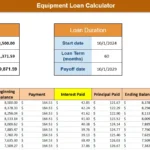
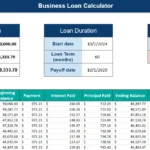
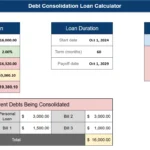
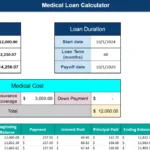
Paying off student loans can feel overwhelming, especially when you do not clearly see how interest builds over time. That is exactly why I built this student loan calculator spreadsheet in Google Sheets. It gives you a full financial picture, from monthly payment to total interest paid, in a clean and easy to follow layout.
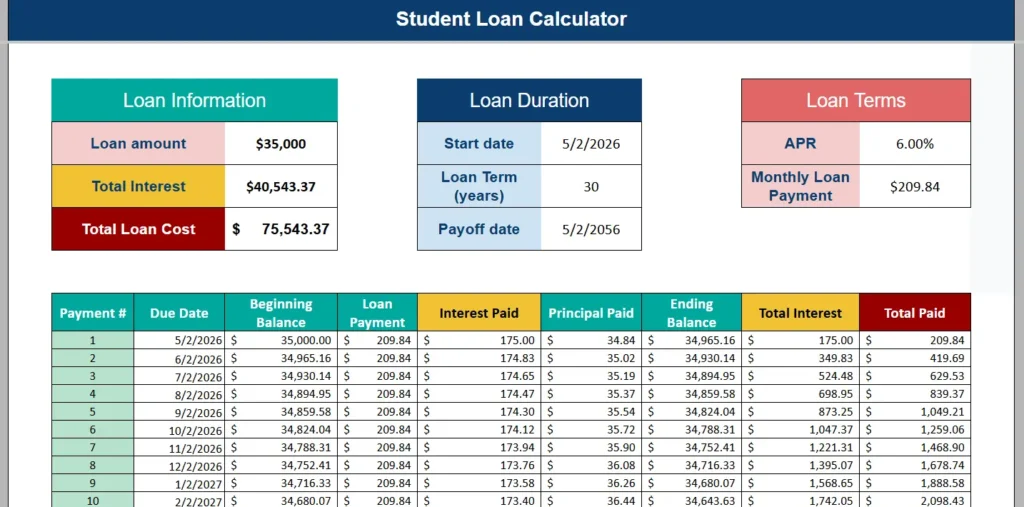
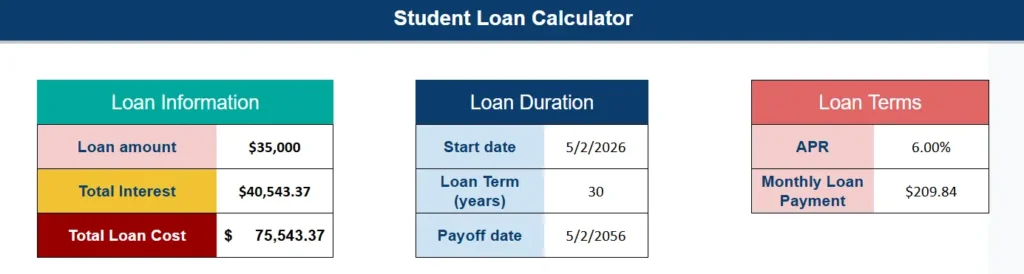
At the top of the sheet, you will see three clearly separated sections: Loan Information, Loan Duration, and Loan Terms. These blocks give you an instant snapshot of your loan details.
That visual contrast is powerful. You immediately see that the interest alone exceeds the original principal over a long term. This is not just a calculator. It is a financial awareness tool.
Below the summary, the amortization schedule breaks everything down payment by payment. Each row shows exactly how much of your payment goes toward interest and how much reduces the principal. This is where the spreadsheet becomes especially useful for real world planning.
Because it is built in Google Sheets, it is accessible from any device, easy to duplicate, and simple to customize. Whether someone is a college graduate planning repayment or a parent reviewing federal loan options, this template provides clarity without complexity.
Key Features and Sections
Loan Information Section
This block focuses on the core financial numbers. It includes:
- Loan amount
- Total interest
- Total loan cost
The loan amount is the only value the user directly enters in this area. The total interest and total loan cost are automatically calculated based on the loan terms and payment schedule.
The total interest figure is especially important. Many borrowers only look at the monthly payment. They rarely consider how much interest they will pay over decades. This section makes that impossible to ignore. For example, a $35,000 loan at 6 percent over 30 years leads to over $40,000 in interest. That insight alone can motivate someone to shorten their term or increase payments.
The bold color coding draws attention to the true cost of borrowing. It reinforces financial awareness without needing complicated formulas exposed to the user.
Loan Duration Section
This area shows:
- Start date
- Loan term in years
- Payoff date
The payoff date is automatically calculated from the start date and loan term. This is a feature users genuinely appreciate. Instead of guessing when they will be debt free, they see the exact projected date.
For example, starting on May 2, 2026 with a 30 year term results in a payoff date of May 2, 2056. That timeline often surprises users. Seeing a date decades in the future can encourage them to test shorter terms, such as 20 or 15 years, and instantly compare results.
This section is particularly useful for financial planners, parents co signing loans, or borrowers considering refinancing.
Loan Terms Section
This section includes:
- APR
- Monthly loan payment
The APR drives the entire amortization calculation. When users adjust the interest rate, the monthly payment updates automatically. This allows for realistic scenario testing.
For instance, someone comparing 6.00 percent versus 5.25 percent refinancing options can instantly see how much the payment changes and how much interest is saved long term.
The monthly loan payment is calculated using the standard loan payment formula built directly into Google Sheets. Users do not need to understand the math behind it. They simply enter their numbers and review the results.
Amortization Schedule Section
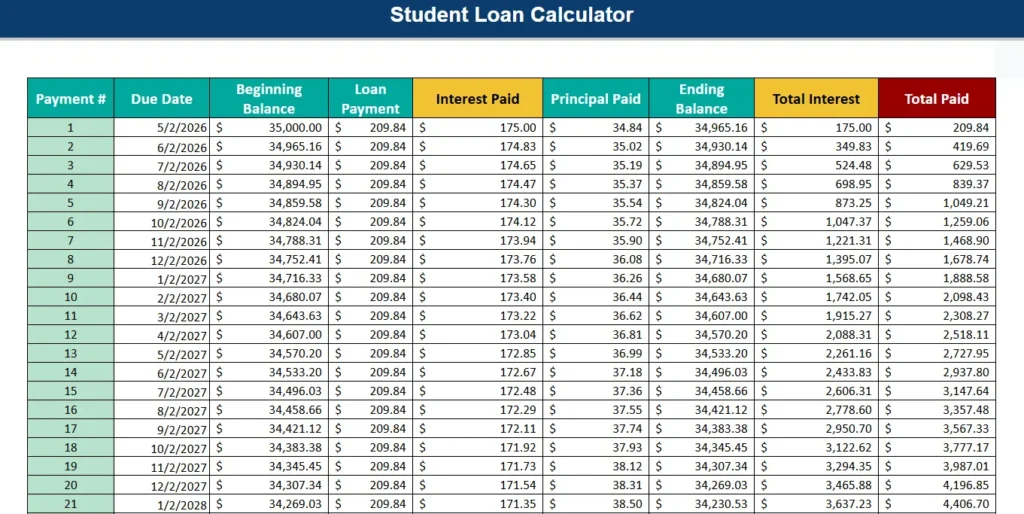
This is the heart of the spreadsheet.
Each row includes:
- Payment number
- Due date
- Beginning balance
- Loan payment
- Interest paid
- Principal paid
- Ending balance
- Total interest
- Total paid
This breakdown shows how amortization works in real life. In the first payment of the example, $175 goes toward interest and only $34.84 reduces the principal. That is typical in long term loans. Over time, the interest portion decreases and the principal portion increases.
This is where borrowers gain true financial insight. If someone adds an extra $50 payment manually to test scenarios, they can see how much faster the balance declines. That makes the spreadsheet not just informative, but actionable.
The cumulative total interest and total paid columns also give users a running view of their long term commitment. This is powerful for those who want to track progress month by month.
How to Use the Template
Using the spreadsheet is straightforward, even for beginners.
First, open the template in Google Sheets and make a copy to your own drive. This ensures you can edit values freely.
Second, enter your loan amount in the Loan Information section. This should match the total borrowed amount, not including projected interest.
Third, input your APR in the Loan Terms section. Be sure to use the full percentage format, such as 6.00 percent.
Fourth, enter your desired loan term in years. Many federal student loans default to 10 years, but income driven or extended plans can stretch to 20 or 30 years. This template works for all of those.
Fifth, enter your start date. The payoff date will automatically adjust.
Once those values are entered, the entire amortization schedule populates automatically. You can scroll down to see every payment from start to finish.
To experiment with strategies, simply change the term length or interest rate. For example:
- Reducing a 30 year term to 20 years significantly increases the monthly payment but dramatically reduces total interest.
- Lowering the APR by refinancing may shave thousands off total loan cost.
- Shortening the term by even five years can eliminate a substantial amount of interest.
This type of hands on modeling helps borrowers make informed decisions rather than relying on rough estimates.
The spreadsheet is also ideal for content creators and bloggers who want to demonstrate how student loans behave over time. The layout is clean and visually clear, making it perfect for screenshots and tutorials.
Why Choose This Template
There are countless student loan calculators online, but most of them are basic web forms that provide a single output number. This spreadsheet goes further.
First, it provides full transparency. Every payment is visible. Users can see exactly how interest compounds over time.
Second, it is fully customizable. Because it lives in Google Sheets, users can adjust formatting, add extra payment columns, or extend the schedule.
Third, it is practical for real life financial planning. Parents planning for college costs can model different borrowing scenarios. Graduates can compare repayment strategies. Financial coaches can use it with clients to illustrate payoff timelines.
Fourth, it supports SEO driven content. The clear structure, detailed amortization schedule, and visually organized summary sections make it easy to explain in blog posts and tutorials. It targets the keyword student loan calculator spreadsheet while delivering real value.
Most importantly, it builds trust. When users download a spreadsheet and see transparent calculations instead of hidden formulas, they feel more confident about their financial decisions.
If you are managing student debt, planning for college expenses, or simply want a clearer understanding of how interest works, this student loan calculator spreadsheet gives you a detailed and reliable framework.
Download Your Free Student Loan Calculator Spreadsheet
- Free Template
- Fully Editable
- Instant Access
- Organize your information
How to Access Your Copy
- Enter your email for instant access
- Open the link we send you
- Start using the spreadsheet right away