If you’ve ever felt limited by VLOOKUP, learning INDEX MATCH in Excel is one of the most valuable upgrades you can make. INDEX and MATCH work together to create flexible, powerful lookups that handle real-world spreadsheets far better than older functions. In this guide, you’ll learn exactly how INDEX MATCH works in Excel, why it’s often superior to VLOOKUP, and how to use it confidently in practical scenarios.
This article is written for beginners who want clarity, as well as intermediate users who want to understand why INDEX MATCH behaves the way it does.
What Is INDEX MATCH in Excel and Why Do People Use It?
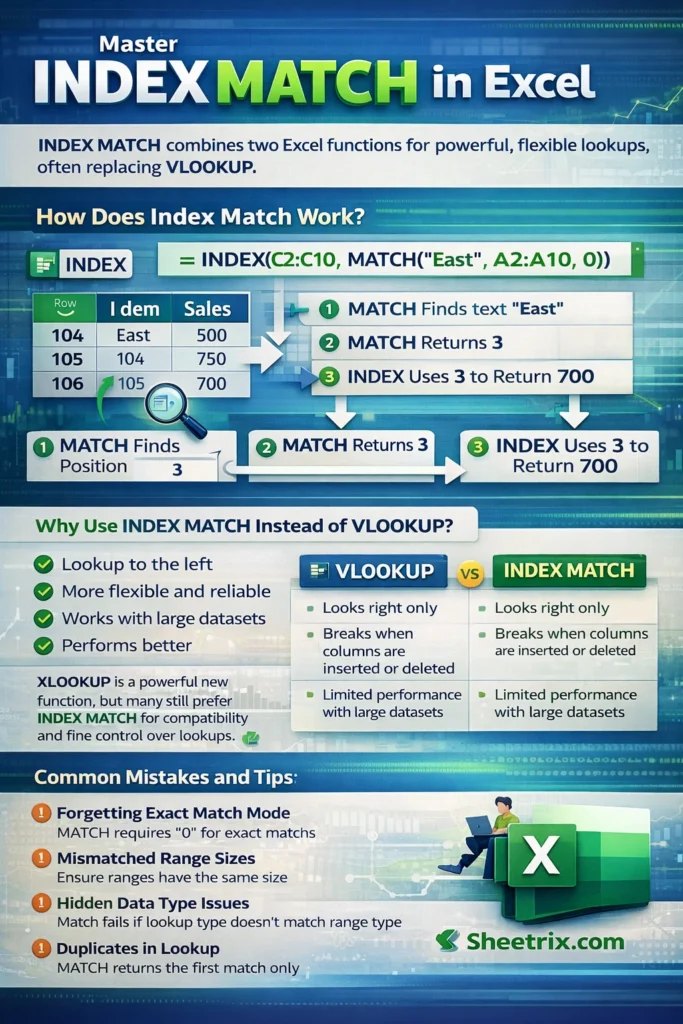
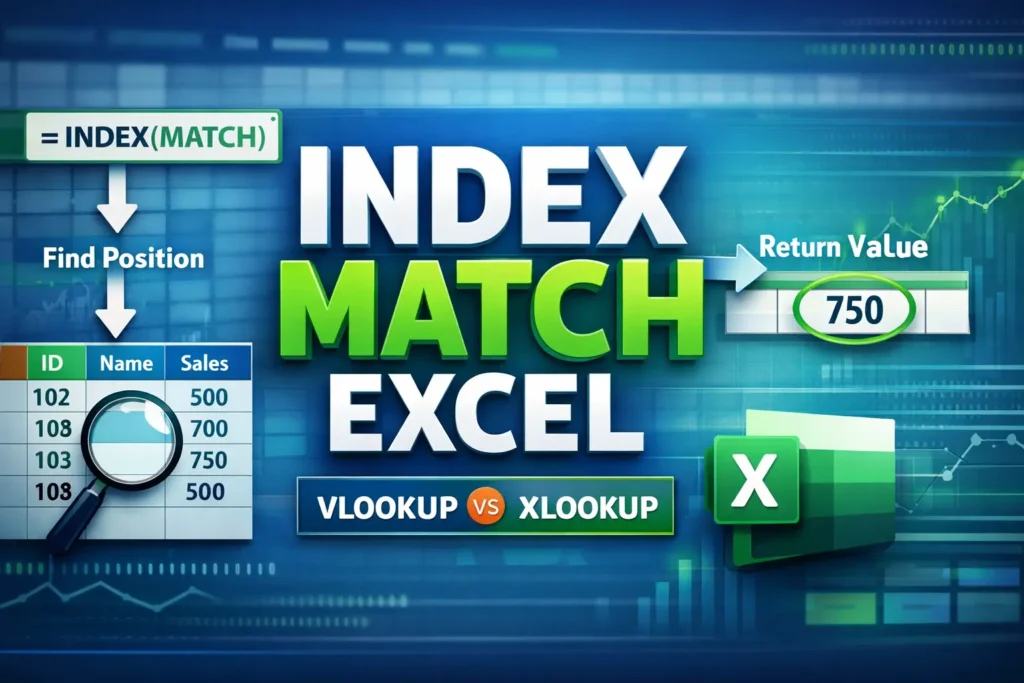
INDEX MATCH is not a single function—it’s a combination of two Excel functions that work together to return values from a table.
The INDEX function returns a value from a specific position in a range.
The MATCH function finds the position of a value within a range.
When combined, MATCH tells INDEX where to look, and INDEX returns the result.
The biggest reason people switch to INDEX MATCH in Microsoft Excel is flexibility. Unlike VLOOKUP, INDEX MATCH:
- Can look left or right
- Does not break when columns are inserted or deleted
- Handles large datasets more efficiently
- Works naturally with dynamic ranges and structured data
In modern Excel workflows, INDEX MATCH is often the foundation for advanced formulas, dashboards, and models.
How Does the INDEX Function Work on Its Own?
Before combining the functions, it helps to understand INDEX by itself.
INDEX returns a value based on a row number and column number within a range. Think of it as saying: “Give me the value from row X, column Y.”
INDEX Function Basics
INDEX looks like this conceptually:
- A range of cells
- A row position
- Optionally, a column position
If you already know the exact position of the value you want, INDEX alone is enough. The problem is that in most real spreadsheets, you don’t know the position—you only know the value you’re searching for. That’s where MATCH comes in.
What Does the MATCH Function Do in Excel?
MATCH searches for a value in a range and returns its numeric position. It does not return the value itself—only where it appears.
For example, if “March” is the third item in a list, MATCH returns 3.
MATCH is especially powerful because:
- It works vertically or horizontally
- It supports exact matches and approximate matches
- It can adapt automatically as data changes
When MATCH is nested inside INDEX, it dynamically feeds the correct position to INDEX.
How Do INDEX and MATCH Work Together?
When combined, MATCH finds the position of your lookup value, and INDEX uses that position to return the corresponding result from another column or row.
Conceptually, the process works like this:
- MATCH searches for the lookup value
- MATCH returns a position number
- INDEX uses that position to return the correct value
This separation of “finding” and “returning” is what makes INDEX MATCH so flexible compared to VLOOKUP.
INDEX MATCH Formula Examples
Below are clean, readable examples you can adapt directly in Excel.
Basic Vertical INDEX MATCH Example
Use this when your lookup values are in one column and your results are in another.
=INDEX(B2:B10, MATCH(E2, A2:A10, 0))What this does:
- MATCH looks for the value in E2 within A2:A10
- MATCH returns the row position
- INDEX returns the value from B2:B10 at that position
This works even if the result column is to the left of the lookup column.
INDEX MATCH With Text Values
INDEX MATCH works identically with text, numbers, or dates.
=INDEX(C2:C20, MATCH("West", A2:A20, 0))As long as the lookup value exists exactly once, the formula returns the correct match.
Two-Way Lookup With INDEX MATCH
One of the biggest advantages of INDEX MATCH is the ability to do two-way lookups (rows and columns).
=INDEX(B2:E10, MATCH(H2, A2:A10, 0), MATCH(H3, B1:E1, 0))
This formula:
- Finds the correct row using MATCH
- Finds the correct column using a second MATCH
- Returns the value at the intersection
This is extremely useful for pricing tables, reports, and dashboards.
Why Is INDEX MATCH Better Than VLOOKUP?
VLOOKUP is easier to learn, but it has structural limitations that INDEX MATCH avoids.
Key advantages of INDEX MATCH:
- No column order dependency: Columns can move without breaking formulas
- Left-side lookups: You can return values from columns to the left
- Better performance: Especially with large datasets
- Clear logic: Each part of the formula has a specific role
One lesser-known advantage is maintainability. INDEX MATCH formulas are easier to audit because the lookup logic is separated from the return range.
Common INDEX MATCH Mistakes (and How to Avoid Them)
Many INDEX MATCH errors come from small misunderstandings.
Forgetting Exact Match Mode
If you omit the match type or use the wrong one, results can be incorrect.
Always use 0 for exact matches unless you intentionally want approximate matching.
Mismatched Range Sizes
The MATCH range and INDEX range must align logically. If MATCH searches 100 rows but INDEX only references 50, results will be wrong or return errors.
Hidden Data Type Issues
Text that looks numeric (or vice versa) will cause MATCH to fail. Converting values using VALUE() or TEXT() often resolves this.
Duplicate Lookup Values
MATCH returns the first match only. If duplicates exist, INDEX MATCH may not return the value you expect.
INDEX MATCH vs XLOOKUP: When Should You Still Use INDEX MATCH?
XLOOKUP is newer and simpler, but INDEX MATCH is still relevant.
INDEX MATCH is better when:
- You need compatibility with older Excel versions
- You are building complex, nested formulas
- You want fine-grained control over lookup logic
- You are working inside large financial or operational models
One unique advantage: INDEX MATCH can be partially calculated and reused in helper cells to improve calculation speed in very large workbooks—something XLOOKUP doesn’t handle as efficiently in some scenarios.
Advanced Tips Most Guides Don’t Mention
Here are several practical insights rarely covered in basic INDEX MATCH tutorials:
INDEX MATCH Is Non-Volatile
Unlike OFFSET or INDIRECT, INDEX MATCH does not recalculate unnecessarily. This makes it safer for performance-heavy models.
You Can Lock Only What Matters
Because INDEX and MATCH use separate ranges, you can lock only the lookup column or only the return column—making formulas easier to copy across sheets.
INDEX MATCH Works Naturally With Tables
When used with Excel Tables, INDEX MATCH adapts automatically as rows are added, reducing formula maintenance.
MATCH Can Be Reused
In complex spreadsheets, you can calculate MATCH once in a helper cell and reference it in multiple INDEX formulas for faster recalculation.
INDEX MATCH Supports Dynamic Arrays Indirectly
While INDEX MATCH itself isn’t a spill function, it integrates cleanly with FILTER and SORT outputs, making it future-proof in modern Excel.
When Should You Not Use INDEX MATCH?
INDEX MATCH is powerful, but not always necessary.
Avoid it when:
- A simple VLOOKUP solves the problem cleanly
- You are building spreadsheets for very casual users
- The dataset is extremely small and static
In these cases, simplicity may be more valuable than flexibility.
Final Thoughts: Is INDEX MATCH Worth Learning?
Absolutely. If you work in Excel regularly, INDEX MATCH is one of the most important skills you can develop. It teaches you how Excel thinks about data, positions, and relationships—knowledge that transfers directly to advanced functions like XLOOKUP, FILTER, and even Power Query logic.
Once you understand INDEX MATCH, you stop fighting your spreadsheets and start controlling them. That’s why it remains a core technique for analysts, operators, and spreadsheet professionals—and why it deserves a permanent place in your Excel toolkit.