The index match formula is one of the most important lookup techniques in Excel. For years, it has been the preferred alternative to VLOOKUP for users who needed more control, flexibility, and accuracy in their spreadsheets. If you’ve worked with financial models, dashboards, or large datasets, you’ve almost certainly encountered INDEX MATCH.
However, Excel has changed significantly in recent years. With the introduction of XLOOKUP, many of the tasks that once required INDEX MATCH—especially two-way lookups—can now be solved with simpler, more readable formulas.
That doesn’t mean INDEX MATCH is obsolete. Instead, it means understanding when to use it and when a double XLOOKUP (two-way XLOOKUP) is the better choice.
In this guide, you’ll learn:
- What the index match formula is and how it works
- Why it became the standard lookup method for advanced Excel users
- How to use INDEX MATCH for one-way and two-way lookups
- The limitations of INDEX MATCH in modern spreadsheets
- How to replace it with a cleaner two-way XLOOKUP
- When INDEX MATCH is still worth using today
What Is the INDEX MATCH Formula?
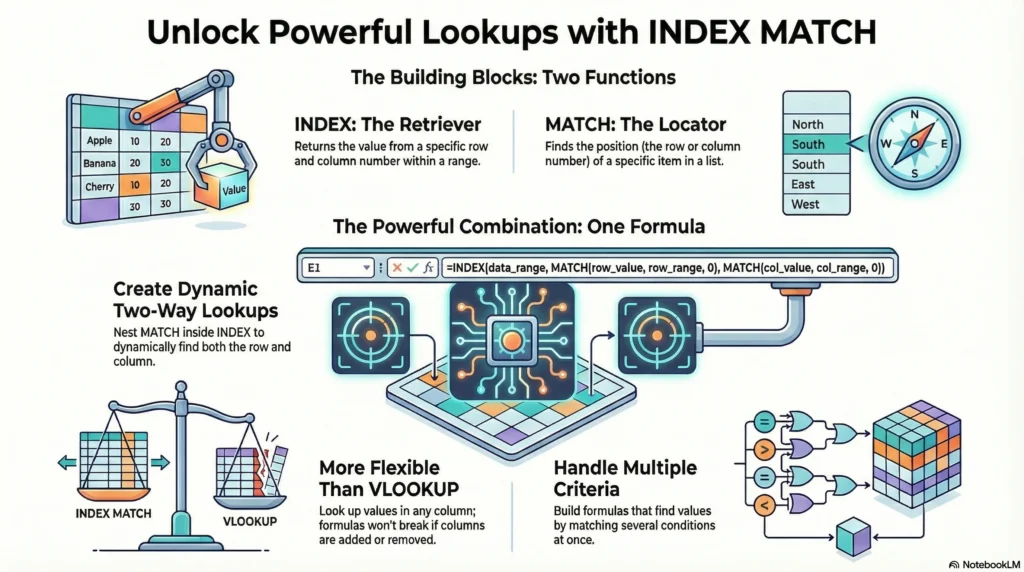
The index match formula combines two Excel functions:
- INDEX returns a value from a range based on a position
- MATCH finds the position of a value within a range
By combining them, Excel can dynamically locate and return data without relying on fixed column numbers.
The general structure looks like this:
=INDEX(return_range, MATCH(lookup_value, lookup_range, 0))MATCH searches for the lookup value and returns a number. INDEX then uses that number to return the corresponding value from the return range. This separation of logic is what makes INDEX MATCH so flexible compared to older lookup methods.
Why Excel Users Rely on the Index Match Formula
Before XLOOKUP existed, Excel users faced several limitations:
- VLOOKUP only searched left to right
- Column insertions broke formulas
- Large spreadsheets required flexibility
- Financial models needed precision
The index match formula solved these problems. Because it does not rely on column positions, it remains stable even when spreadsheets change. This made it the preferred lookup method for finance professionals, analysts, and advanced Excel users.
In many corporate environments, knowing INDEX MATCH became a baseline expectation.
Basic INDEX MATCH Example
Suppose you have a table with employee names and their total sales:
- Column A: Employee Name
- Column B: Sales Total
To find the sales value for Emma, you could use:
=INDEX(B2:B10, MATCH("Emma", A2:A10, 0))Here’s what Excel does:
- MATCH searches the names in column A and finds Emma’s row number
- INDEX returns the sales value from column B in that same row
This already demonstrates one major advantage: the return column does not need to be next to the lookup column.
Exact Match vs Approximate Match in INDEX MATCH
One important part of the index match formula is the match type argument.
Most modern use cases rely on exact matches, which use 0 as the match type:
MATCH(lookup_value, lookup_range, 0)This ensures Excel only returns a result when the value is an exact match. Approximate matches are still used in advanced scenarios like grading scales or tax brackets, but for most business use cases, exact match is the safest option.
Using INDEX MATCH With Multiple Criteria
INDEX MATCH can also be extended to handle multiple criteria, often using array formulas or helper columns.
For example, you may want to look up a value based on:
- Employee name
- Department
This requires more complex logic, such as multiplying logical arrays or using helper columns. While powerful, these formulas can become difficult to read and maintain—especially for shared spreadsheets.
This complexity is one of the reasons Excel introduced newer functions like XLOOKUP and FILTER.
Two-Way Lookup Using INDEX MATCH
A two-way lookup returns a value based on both a row and a column match. This is common in:
- Monthly sales tables
- Budget matrices
- Performance dashboards
- Financial projections
To accomplish this, INDEX MATCH uses two MATCH functions.
Two-Way INDEX MATCH Formula Example
Assume:
- Product names in column A
- Months in row 1
- Sales data in the table body
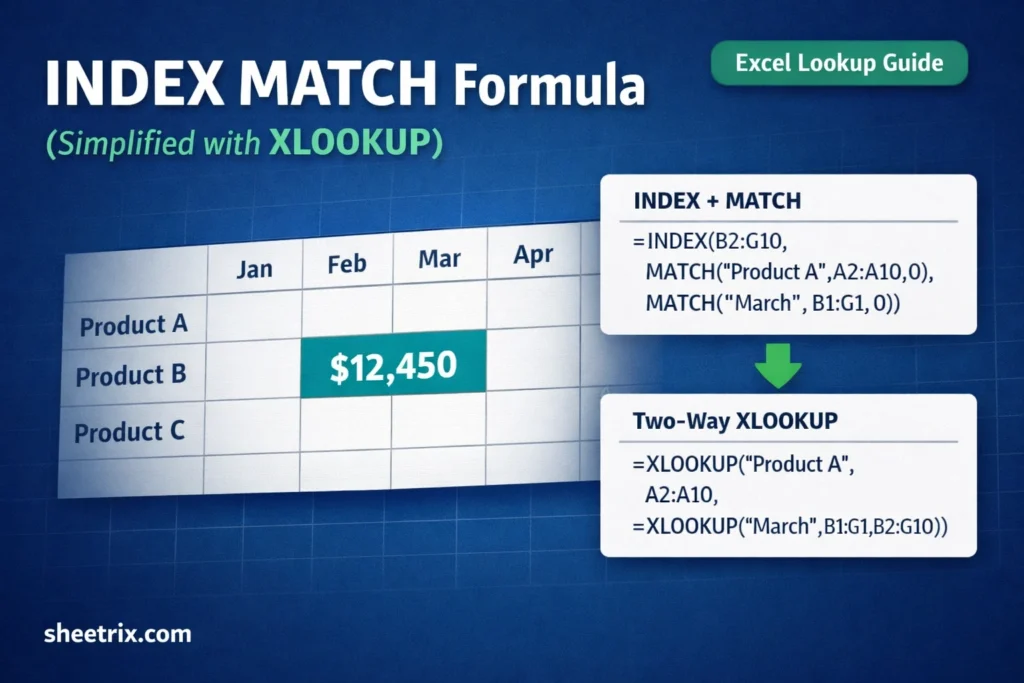
To return sales for Product A in March, the formula looks like this:
=INDEX(B2:G10,
       MATCH("Product A", A2:A10, 0),
       MATCH("March", B1:G1, 0))
How it works:
- The first MATCH identifies the row position
- The second MATCH identifies the column position
- INDEX returns the value at that intersection
While effective, this structure is often intimidating for newer users.
Common Problems With INDEX MATCH
Despite its power, INDEX MATCH has drawbacks:
- Nested formulas are harder to audit
- Ranges must be perfectly aligned
- Small errors can return incorrect results
- Explaining the formula to others is difficult
These issues become more noticeable in templates, dashboards, or files shared with less experienced users.
What Is XLOOKUP and Why It Matters
XLOOKUP is Excel’s modern replacement for VLOOKUP, HLOOKUP, and many INDEX MATCH scenarios.
Basic syntax:
=XLOOKUP(lookup_value, lookup_array, return_array)Key benefits:
- Searches in any direction
- No column index numbers
- Built-in error handling
- Cleaner, more readable formulas
But the biggest advantage is how easily it handles two-way lookups.
Two-Way XLOOKUP (Double XLOOKUP) Explained
A two-way XLOOKUP uses one XLOOKUP inside another.
=XLOOKUP("Product A",
         A2:A10,
         XLOOKUP("March", B1:G1, B2:G10))
Here’s the logic:
- The inner XLOOKUP returns the entire March column
- The outer XLOOKUP finds Product A within that column
This replaces INDEX MATCH with a formula that’s easier to read and maintain.
Why Two-Way XLOOKUP Is Easier for Real Users
Compared to INDEX MATCH, two-way XLOOKUP:
- Reads logically from inside out
- Reduces formula nesting complexity
- Is easier to debug
- Is more intuitive for non-experts
For anyone creating reusable spreadsheets, this clarity matters.
INDEX MATCH vs Two-Way XLOOKUP
INDEX MATCH
- Industry-standard for years
- More complex syntax
- Works in older Excel versions
- Common in legacy financial models
Two-Way XLOOKUP
- Modern and easier to read
- Better for shared templates
- Faster to learn
- Ideal for new spreadsheets
Both methods return the same results—the difference is usability.
When You Should Still Use INDEX MATCH
INDEX MATCH is still useful when:
- You’re using an older Excel version
- You maintain legacy financial models
- You need backward compatibility
- You’re learning Excel fundamentals
Understanding it remains valuable, even if it’s no longer your default.
Final Thoughts
The index match formula is a foundational Excel skill that every serious spreadsheet user should understand. It teaches how Excel handles positions, ranges, and lookups—concepts that apply across all modern functions.
That said, for most modern use cases—especially two-way lookups—a double XLOOKUP is cleaner, more readable, and easier to maintain.
Master INDEX MATCH for depth. Use XLOOKUP for clarity. Together, they give you complete control over Excel lookups.