
Tracking rent payments accurately is essential for landlords, property managers, and tenants who want clear financial records. This rental ledger template for Excel is designed to provide a complete, easy-to-understand system for recording rent charges, payments, balances due, and late activity without relying on complex accounting software.
Unlike basic rent tables, this template combines a detailed ledger with automated calculations and a summary dashboard. Every payment, fee, and balance is traceable, making it easy to review rent history by tenant, property, or time period. Because it is built specifically for Excel, it works smoothly offline, supports filtering and sorting, and can scale as your rental portfolio grows.
This version includes a structured start sheet, dropdown-based data entry, a fully automated ledger, and a dashboard that updates as soon as new data is entered. Whether you manage one rental unit or several properties, the spreadsheet keeps everything organized in one place.
Key Features and Sections
This rental ledger template is divided into clear sections that work together to create a reliable rent tracking system. Each sheet has a specific purpose and is designed to reduce manual work while improving accuracy.
Start Here Sheet
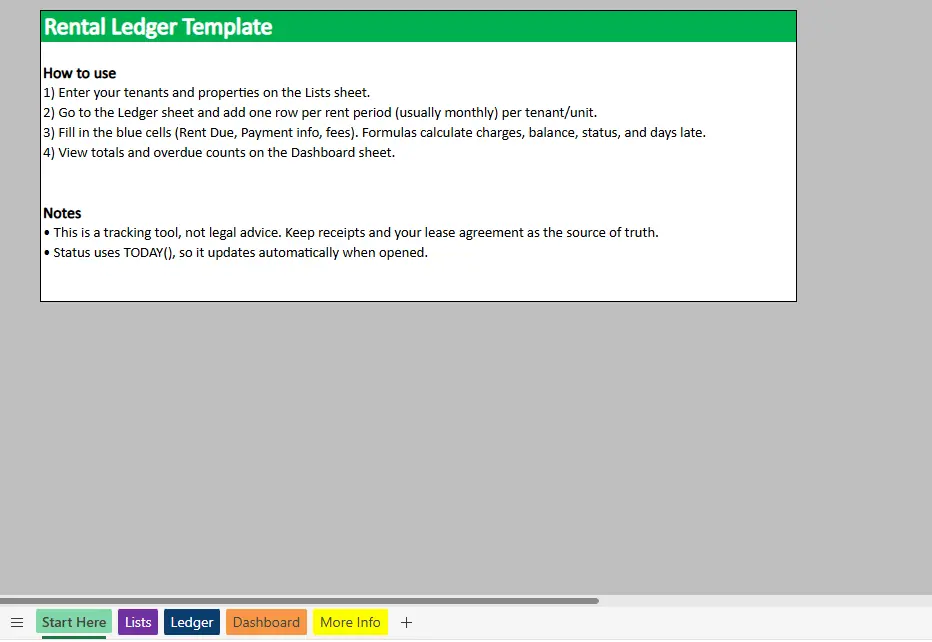
The Start Here sheet acts as a built-in guide for the template. It explains how to set up tenants and properties, how often to add ledger entries, and which cells require manual input. This is especially useful if the file is shared with a partner, assistant, or property manager.
Important notes are also included, such as reminders that the ledger is a tracking tool rather than legal advice and that certain calculations update automatically using Excel’s current date. This helps set expectations and avoids confusion when values change over time.
Dropdown Lists Sheet
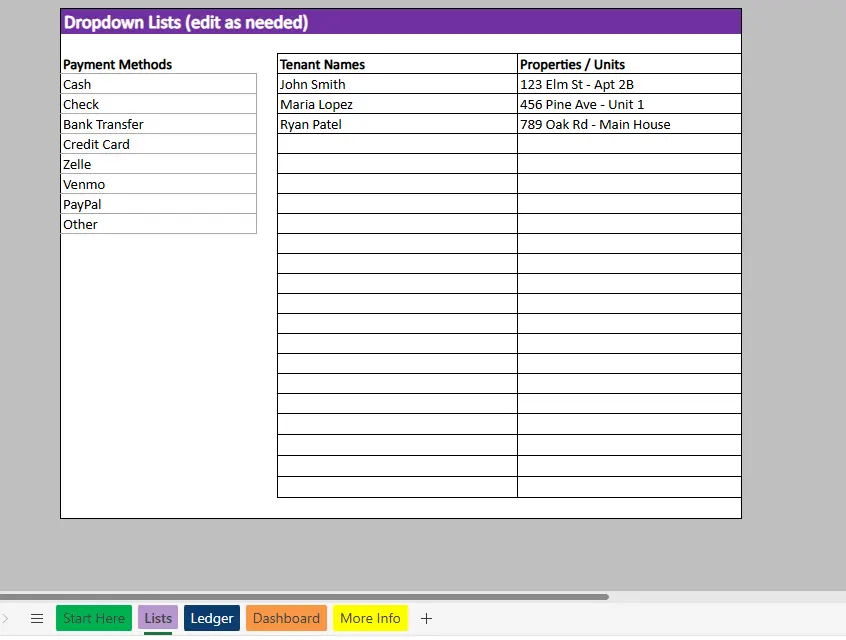
The Lists sheet is the foundation for clean data entry. It stores tenant names, properties or units, and payment methods that feed directly into dropdown menus in the ledger.
Using dropdowns prevents spelling errors and inconsistent naming, which is critical when totals and summaries rely on matching values. For example, entering “Unit 1” in one row and “Unit One” in another can break reporting. Centralized lists eliminate that risk.
This sheet is fully customizable. You can add new tenants, properties, or payment methods at any time, and the ledger will immediately reflect those updates.
Rental Ledger Sheet
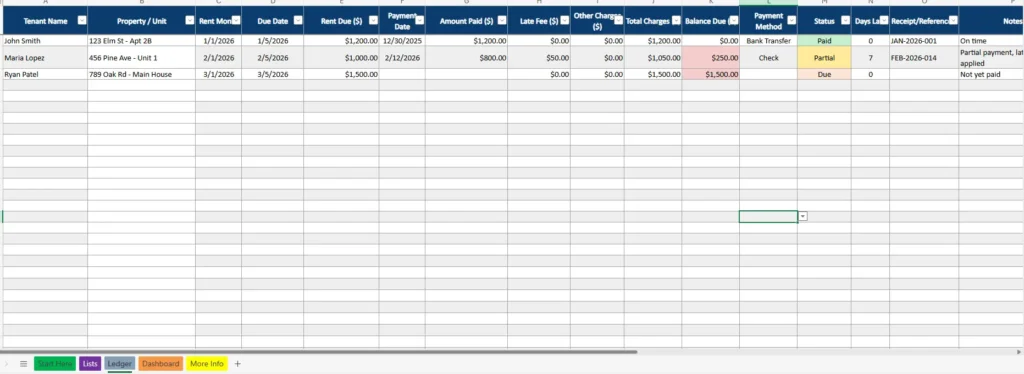
The Ledger sheet is where all rent activity is recorded. Each row represents one rent period for one tenant or unit, most commonly monthly. This structure makes it easy to scan payment history and filter by tenant, property, or status.
Columns include rent month, due date, rent due, payment date, amount paid, late fees, other charges, and total charges. The balance due column automatically calculates what is still owed after payments and fees are applied.
Payment status is calculated for you, showing whether a row is Paid, Partial, or Due. Days late are also calculated automatically based on the due date and today’s date, which makes overdue tracking effortless. Conditional formatting highlights balances and statuses visually, so problem areas stand out immediately.
This setup works well for partial payments, late fees, and unpaid rent, all without manual calculations.
Rental Ledger Dashboard
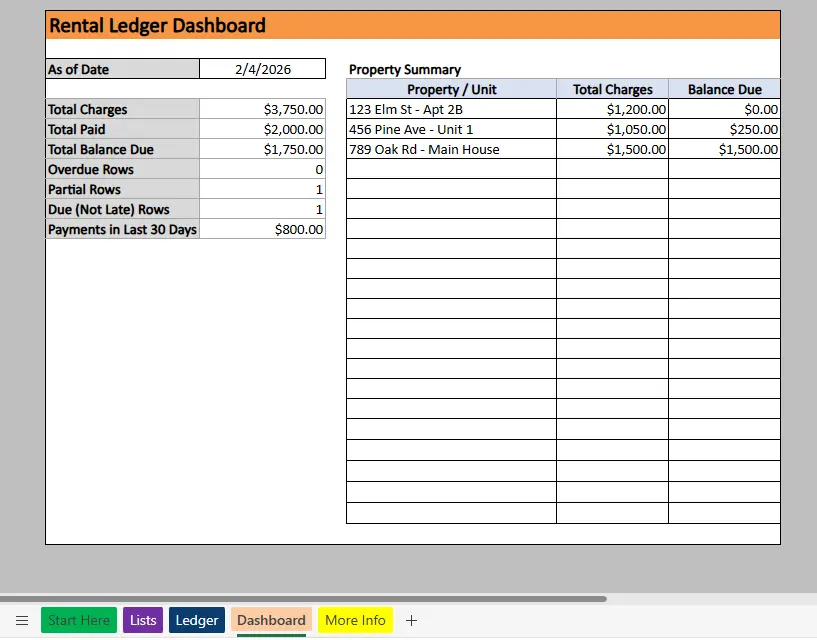
The Dashboard sheet provides a high-level overview of all rental activity. Instead of reviewing individual ledger rows, you can see totals and performance metrics at a glance.
The dashboard displays total charges, total paid, and total balance due across all entries. It also counts overdue rows, partial payments, and rows that are due but not yet late. A rolling total of payments received in the last 30 days gives a quick snapshot of recent cash flow.
A property summary table breaks totals down by property or unit, showing total charges and outstanding balances for each. This is especially useful for landlords with multiple properties who want to identify issues quickly without filtering the ledger manually.
How to Use the Template
Using this rental ledger template in Excel is straightforward and does not require advanced spreadsheet skills.
Start by opening the file and reviewing the Start Here sheet. This gives a quick overview of how the template is structured and what steps to follow. Next, go to the Lists sheet and enter your tenant names, properties or units, and preferred payment methods. These lists power the dropdowns used throughout the ledger.
Once your lists are set up, move to the Ledger sheet. Add one row per rent period for each tenant or unit. Enter the rent month, due date, rent amount, and any payment details. If a tenant pays late or partially, record the payment amount and any applicable late fees. The spreadsheet will automatically calculate total charges, balance due, payment status, and days late.
As new payments are received, you can update existing rows instead of creating new ones, preserving a clear record of what was owed versus what was paid. This is especially helpful for resolving disputes or reviewing historical payment behavior.
Finally, check the Dashboard sheet regularly. It updates automatically based on the ledger data and provides an instant overview of your rental income, outstanding balances, and property-level performance.
Why Choose This Template
This rental ledger template for Excel is built for real-world rental management, not just basic record keeping. It balances simplicity with automation, allowing you to track rent accurately without unnecessary complexity.
For landlords, it provides a clear audit trail that can be shared with accountants or used during tax preparation. For property managers, it offers a lightweight alternative to paid software, especially for smaller portfolios. For tenants, it serves as a personal payment record that documents rent history and balances.
Because the template is transparent, all formulas are visible and easy to understand. You always know how totals and balances are calculated, which builds trust in the numbers. The Excel format also allows you to sort, filter, and archive data as your records grow.
If you want a clean, reliable way to manage rent payments, this rental ledger template gives you full control over your data while saving time and reducing errors.
Download Your Excel Rental Ledger Spreadsheet
- Free Template
- Fully Editable
- Instant Access
- Organize your information
How to Access Your Copy
- Enter your email for instant access
- Download from the link we send you
- Start using the spreadsheet right away





