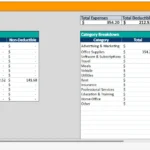
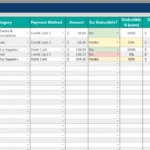
Managing a fleet of vehicles isn’t easy. Between preventive maintenance, unexpected repairs, and routine inspections, even a small fleet can quickly turn chaotic without a proper tracking system. That’s where this Fleet Maintenance Spreadsheet comes in.
This free template helps you organize every maintenance record in one place—no more guessing when your last oil change was or scrambling for repair receipts. Whether you manage two vehicles or ten, this Google Sheets (or Excel) template keeps your data clean, connected, and easy to understand.
With automated reminders, customizable maintenance schedules, and built-in part lists, it’s designed to help small business owners, delivery operators, or service fleets keep their vehicles in top condition—without the need for expensive software.
A Smarter Way to Track Vehicle Maintenance
This template is built for anyone who wants a clear, structured way to manage vehicle upkeep. Instead of scattered notes or paper records, everything you need is neatly stored inside one connected spreadsheet.
From oil changes and tire rotations to brake replacements and inspections, the spreadsheet records every service in detail—helping you stay proactive rather than reactive. It’s especially useful for:
- Small business fleets: Plumbers, landscapers, HVAC techs, or delivery companies managing multiple vehicles.
- Independent contractors: Drivers who own multiple work vans or trucks.
- Nonprofits and schools: Organizations that maintain buses or service vehicles.
- Personal use: Car enthusiasts who track maintenance for multiple family vehicles.
The spreadsheet’s structure is simple yet powerful. Each sheet is linked together, so when you log maintenance, other tabs update automatically. This keeps your reminders accurate and your records current.
What’s Inside the Fleet Maintenance Spreadsheet
This template includes four main sheets, each with a specific purpose. Together, they form a complete vehicle maintenance tracking system.
Maintenance Log
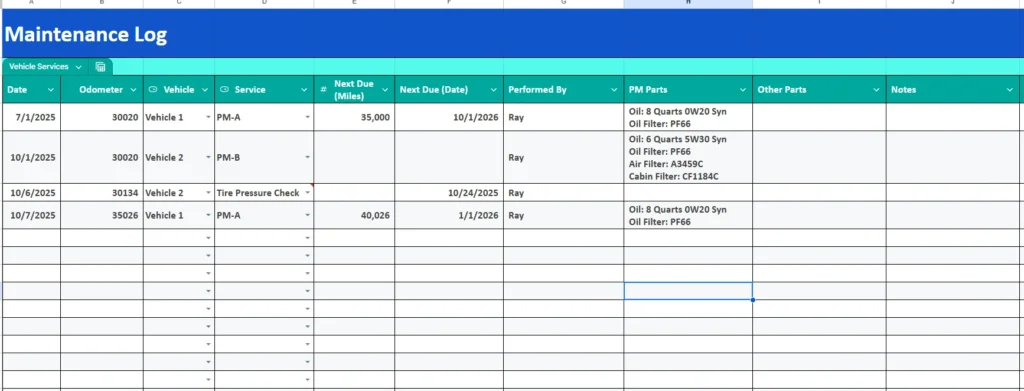
This is the core of your spreadsheet—the place where every service is recorded.
Each time maintenance is performed, you’ll log key details including:
- Date: When the maintenance took place.
- Odometer Reading: Mileage at the time of service.
- Vehicle: Select the vehicle from your list (pulled automatically from the Vehicles sheet).
- Service Type: Choose from your available PM (Preventive Maintenance) options.
- Next Due (Miles/Date): Automatically calculates when the next service should occur.
- Performed By: Record who completed the work—whether it’s an internal mechanic or an outside shop.
- PM Parts: This field auto-fills with recommended parts (like oil type or filters) based on your vehicle and service type.
- Other Parts & Notes: A free-text area for extra details, such as additional repairs or special notes.
Color-coded rows make it easy to see which vehicles have upcoming or overdue maintenance. This visual layout saves time—no need to dig through rows of data to see what’s next.
PM (Preventive Maintenance) Services
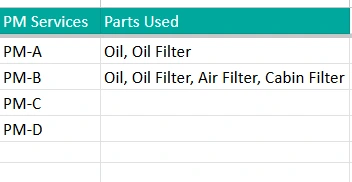
This sheet acts as your maintenance library, listing all standard service packages and the parts associated with them.
For example, you might set it up like this:
- PM-A: Oil & Oil Filter
- PM-B: Oil, Oil Filter, Air Filter, Cabin Filter
- PM-C: Oil, Filters, Spark Plugs, Tire Rotation
You can customize these packages based on your fleet’s needs—perfect if your company follows its own preventive maintenance schedule. Up to four PM levels are supported, but you can easily expand it if needed.
This approach gives you consistency across all vehicles. Whenever you log a PM-B service, the spreadsheet already knows which parts to expect and automatically displays them in the Maintenance Log.
Reminders
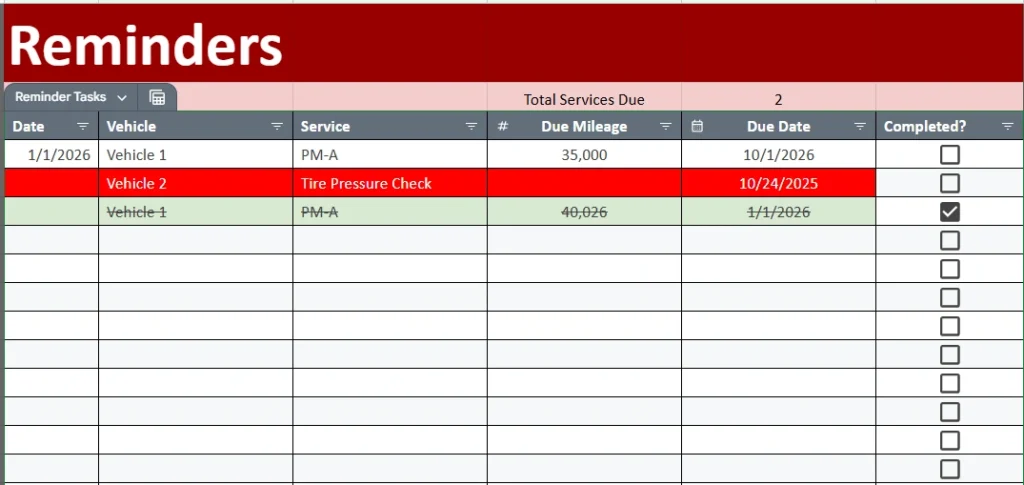
This is one of the most powerful parts of the template. The Reminders sheet automatically scans your maintenance records to show which services are coming due—or already overdue.
Each entry displays:
- The vehicle and service type (such as PM-A or PM-B)
- The due mileage or due date
- A simple checkbox to mark tasks as completed
Color coding keeps everything clear at a glance:
- Red rows mean a service is due or overdue.
- Green rows indicate completed work.
At the top, a summary counter shows how many services are currently pending. It’s a quick, visual way to manage your priorities—especially helpful for larger fleets where multiple vehicles are serviced on rotation.
Vehicles
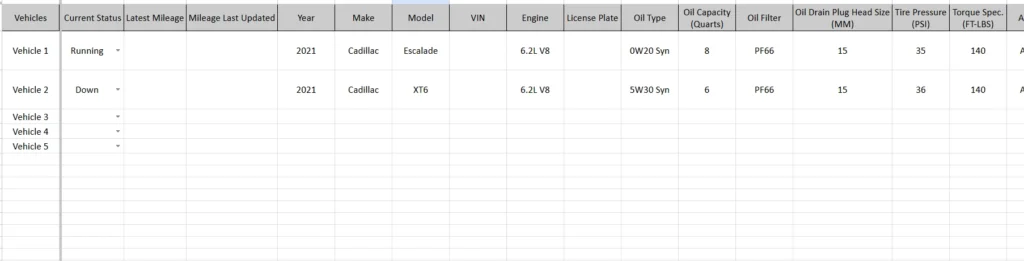
This tab is your vehicle database. Here you’ll list all your fleet vehicles along with their technical specifications. Typical fields include:
- Make, Model, and Year
- Engine Type and Oil Specs
- Filter Information (Oil, Air, Cabin)
- Tire Pressure and Torque Specs
- Current Status (Running, In Repair, or Retired)
- Latest Mileage
This data connects directly to other sheets. For instance, when you log maintenance in the Maintenance Log, the PM Parts section automatically fills with correct details for that vehicle. This saves time and eliminates manual lookup errors—no need to remember which filter or oil type each vehicle uses.
How the Template Works Together
The best part of this Fleet Maintenance Spreadsheet is its automation. Each sheet communicates with the others, so you only need to enter information once.
Here’s how a typical workflow looks:
- You add your vehicles and maintenance types to the Vehicles and PM Services sheets.
- Each time a vehicle is serviced, you record it in the Maintenance Log.
- The spreadsheet automatically updates your Reminders sheet, calculating when the next service is due based on mileage or date.
- When it’s time for the next PM, you simply check the Reminders tab to see what’s due.
The system essentially runs itself. By keeping your records consistent, you’ll always know which vehicles need attention—and you’ll have a complete history for audits, inspections, or resale.
Why Use This Fleet Maintenance Template
There are plenty of maintenance tracking tools online, but few are as simple, flexible, and affordable as this spreadsheet. Here’s why it stands out:
- Customizable for any fleet size: Whether you manage two cars or a dozen trucks, you can easily add more rows and vehicle entries.
- Automatic reminders: No need to rely on sticky notes or calendar alerts—your due dates are updated automatically.
- Accurate maintenance records: Essential for warranty claims, compliance checks, or selling used vehicles.
- Quick access to vehicle data: All key specs—like oil type or tire pressure—are always at your fingertips.
- User-friendly layout: Built for everyday users, even if you’re not a spreadsheet expert.
It’s especially ideal for small businesses that can’t justify costly fleet software but still need professional-grade tracking.
Get Your Free Fleet Maintenance Spreadsheet
- Free Template
- Fully Editable
- Instant Access
- Organize your information
How to Access Your Copy
- Enter your email for instant access
- Open the link we send you
- Start using the spreadsheet right away