
Tracking travel costs doesn’t have to be complicated. Whether you’re managing business trips, client visits, or conference travel, keeping an organized expense record helps you stay transparent and efficient. The travel expense report spreadsheet template by Sheetrix is designed to simplify this process. It’s an easy-to-use spreadsheet that helps you log, summarize, and approve travel-related expenses — all in one printable and professional format.
This free template works seamlessly in both Microsoft Excel and Google Sheets. It’s already formatted for 8.5 x 11 paper (portrait orientation) with narrow margins, so you can print it directly for signatures or digital approval.
Simplify Expense Tracking with a Clean, Professional Layout
The Travel Expense Report Template is designed with clarity and function in mind. Every section is organized to help employees, managers, and finance teams track trip-related spending quickly and accurately. It’s ideal for:
- Employees submitting reimbursement requests
- Managers approving team travel expenses
- Small business owners documenting costs for tax purposes
- Freelancers and consultants tracking billable client travel
The structure ensures every cost — from transportation and lodging to meals and parking — is recorded clearly. Let’s break down what’s inside each part of the template.
Key Features and Sections of the Template
This template includes everything needed to document a full trip, from trip details to final approval. It consists of two main sheets, each serving a specific purpose.
Travel Expense Report Sheet
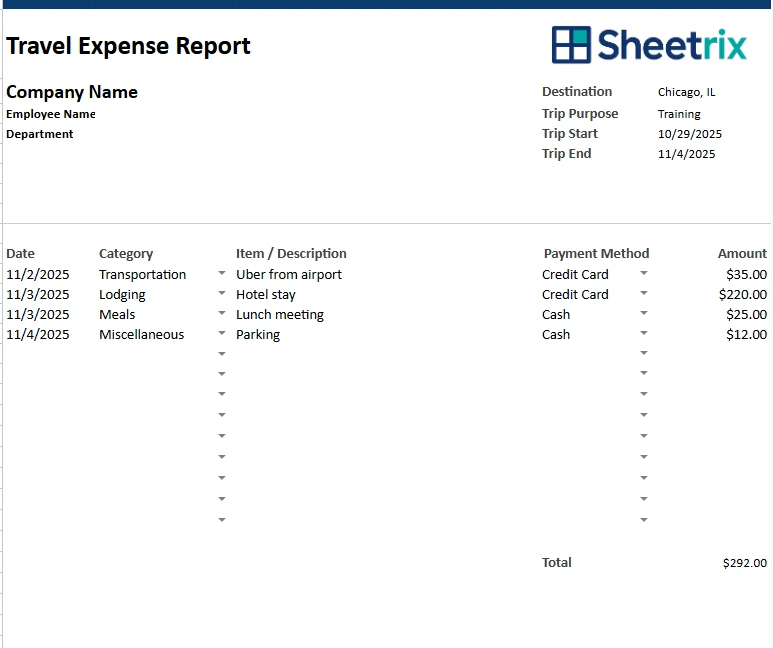
The first sheet is the main working area — where you record all the important travel details. It begins with an easy-to-fill header for company and trip information, followed by the detailed expense table.
You’ll find sections for:
- Company and employee details: Record your company name, employee name, department, and date.
- Trip details: Enter the purpose, destination, start date, and end date.
- Expense log: List every individual expense, including date, category, item description, payment method, and amount.
The table is structured to handle both short and extended trips. For example, if an employee attends a weeklong training conference, they can log transportation on day one, hotel stays for multiple nights, and meals throughout the trip — all in one organized sheet.
At the bottom of the sheet, a total field automatically sums all entered expenses, giving you an instant snapshot of total spending for that trip. No formulas needed — it’s all built in.
Signature Section
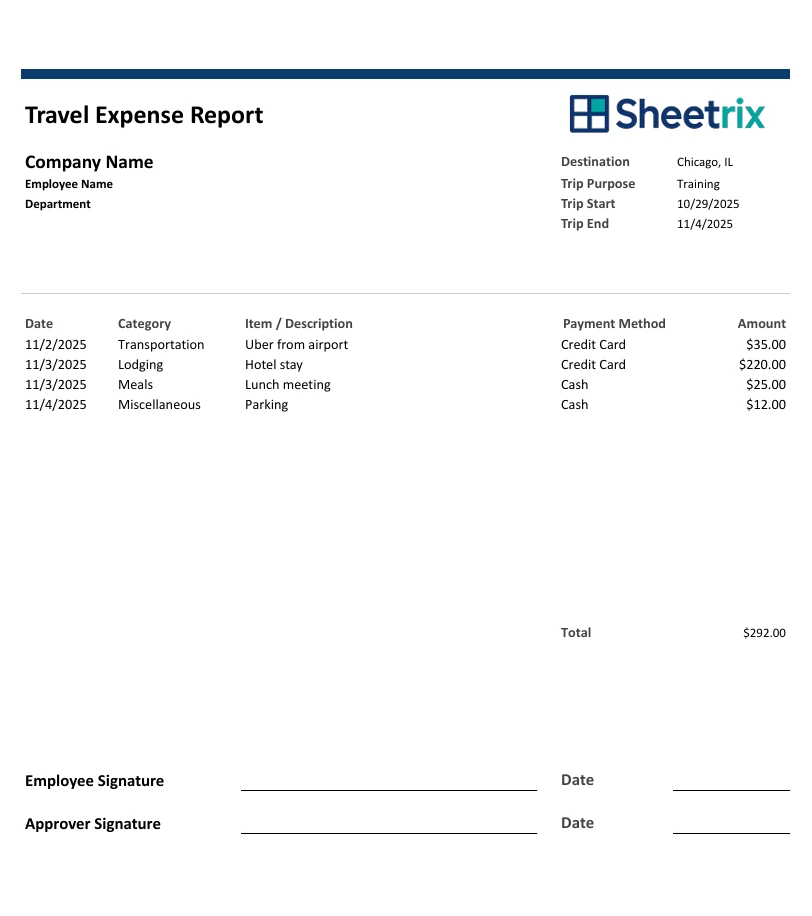
The newest version of this template now includes signature lines for both the employee and the approver. This small but important addition turns the spreadsheet into a fully valid expense report for internal recordkeeping and reimbursement processing.
- The Employee Signature line verifies the accuracy of submitted costs.
- The Approver Signature line confirms managerial or finance approval.
Once signed, the form can be printed or stored digitally as a PDF. This makes it easy for HR, accounting, or finance teams to keep consistent, verifiable records for audits or compliance purposes.
Category & Payment Method Sheet
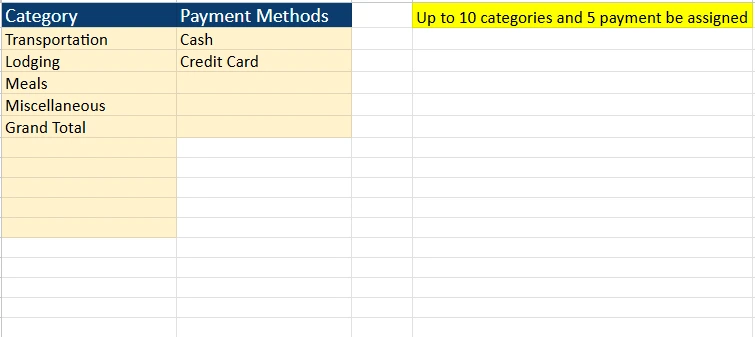
The second sheet is designed to make the main report more consistent and automated. Here you’ll manage lists of expense categories and payment methods that populate dropdown menus in the main sheet.
This setup ensures consistent data entry and easy analysis later. Example categories include:
- Transportation (airfare, taxi, Uber, parking)
- Lodging (hotel stays, short-term rentals)
- Meals (breakfast, lunch, dinner, tips)
- Miscellaneous (conference fees, supplies, other incidentals)
You can also list payment methods like:
- Credit Card
- Cash
- Company Account
- Reimbursement Pending
Having these predefined options keeps your data organized and prevents input errors — especially useful for larger teams submitting multiple reports each month.
How to Use the Travel Expense Report Template
One of the strengths of this template is how intuitive it is. You don’t need to be an Excel expert to make the most of it. Here’s how to start using it right away:
- Fill in company and employee details — Add your organization’s name, the traveler’s name, department, and the purpose of the trip.
- Log daily expenses — Use the table to enter expenses as they happen. Each entry should include the date, category, description, payment method, and cost.
- Add or modify categories — If you have specific company policies or unique expenses, customize your own categories in the second sheet.
- Review the total — The total field will automatically calculate the full trip cost.
- Sign and approve — Once completed, print the report or export it as a PDF. The employee and approver can sign and date the form for final approval.
For example, a marketing associate traveling to a trade show could use this template to document airfare, hotel charges, booth fees, and meals. After the trip, the report can be printed, signed by the employee, and forwarded to the finance department for approval.
Why This Template Stands Out
There are many expense report templates online, but this one is designed with both practicality and polish. Here’s why users love it:
- Professional design – Clean fonts, organized spacing, and print-ready formatting make it presentation-worthy.
- Automatic calculations – The total updates as you enter data, saving time and avoiding math errors.
- Easy customization – Add your company logo, edit colors, or change categories without breaking the formulas.
- Digital and printable formats – Works in Excel or Google Sheets, and prints perfectly on letter-sized paper.
- Approval-ready – Built-in signature lines make it compliant for reimbursement and audit processes.
This flexibility makes it useful not just for corporations, but also for freelancers, startups, and nonprofits looking for a no-cost way to manage travel reimbursements efficiently.
For instance, a nonprofit project coordinator could use the same sheet to track travel costs to multiple community events, while a small business owner could use it for quarterly tax deductions and mileage reimbursement tracking.
Get Your Free Travel Expense Report Spreadsheet
- Free Template
- Fully Editable
- Instant Access
- Organize your information
How to Access Your Copy
- Enter your email for instant access
- Open the link we send you
- Start using the spreadsheet right away
If you regularly handle business travel or manage a team that does, this template will save hours of work each month while keeping your records clean and accurate. It’s an essential tool for anyone who values efficiency and professionalism.
Make Expense Reporting Effortless
With the Sheetrix travel expense report Template, you can finally replace messy receipts and handwritten forms with a streamlined, automated system. It’s simple enough for individuals yet powerful enough for teams and accounting departments.
Whether you’re traveling across the country for a client meeting or attending a local training event, this spreadsheet makes every dollar easy to track — from the first flight to the final meal.
Get the template, fill it out, sign it, and submit with confidence. Managing your travel costs has never been this simple or professional.





