Do you know how many comics you own? Do you know what your collection is worth, or which key issues you still need? A comic book collection tracker spreadsheet built in Google Sheets can answer all three in a few seconds.
Comic collections grow quietly. A few new issues turn into a long box, the long box turns into a shelf, and soon you are buying a book you already own because you cannot remember what is in storage. This free template gives you one organized place to log every book, track what you paid and what it is worth now, and keep a wishlist for the issues you are hunting.
It also handles graded books, so your CGC, CBCS, and PGX slabs can sit in the same sheet as your raw issues. Below is everything the template includes and how to use it.
Overview of the Template
This comic book collection tracker spreadsheet has five tabs: a Start Here guide, a Collection log, a Summary page, a Wishlist, and a Settings tab that controls your dropdown lists. You type each book once, and the totals update on their own.
The template is a good fit if you want to:
- Keep a complete list of every book you own, with title, issue number, volume, publisher, and condition
- Know the total value of your collection and your gain or loss against what you paid
- Track graded slabs next to raw books, with the grader and numeric grade
- Plan your next purchases with a wishlist that has priorities and target prices
Everything is editable. You can add your own publishers, conditions, or storage locations on the Settings tab, and the dropdowns on the other tabs update to match.
Key Features and Sections
Collection (Main Log)
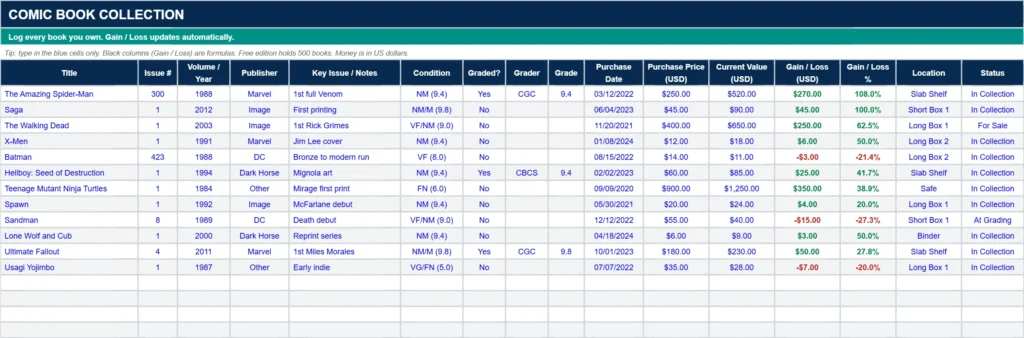
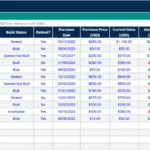
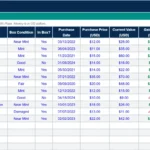
This is the heart of the comic book collection tracker spreadsheet. Each row is one book. You enter the title, issue number, volume or year, publisher, key issue notes, condition, whether it is graded, the grader, the numeric grade, purchase date, what you paid, and what it is worth now. You also record where the book is stored and its status, such as In Collection, For Sale, or At Grading. Gain / Loss and Gain / Loss % calculate automatically, and gains show in green while losses show in red.
The Collection tab is ready for up to 500 books, and it includes example rows so you can see how the data should look before you replace it with your own.
Summary
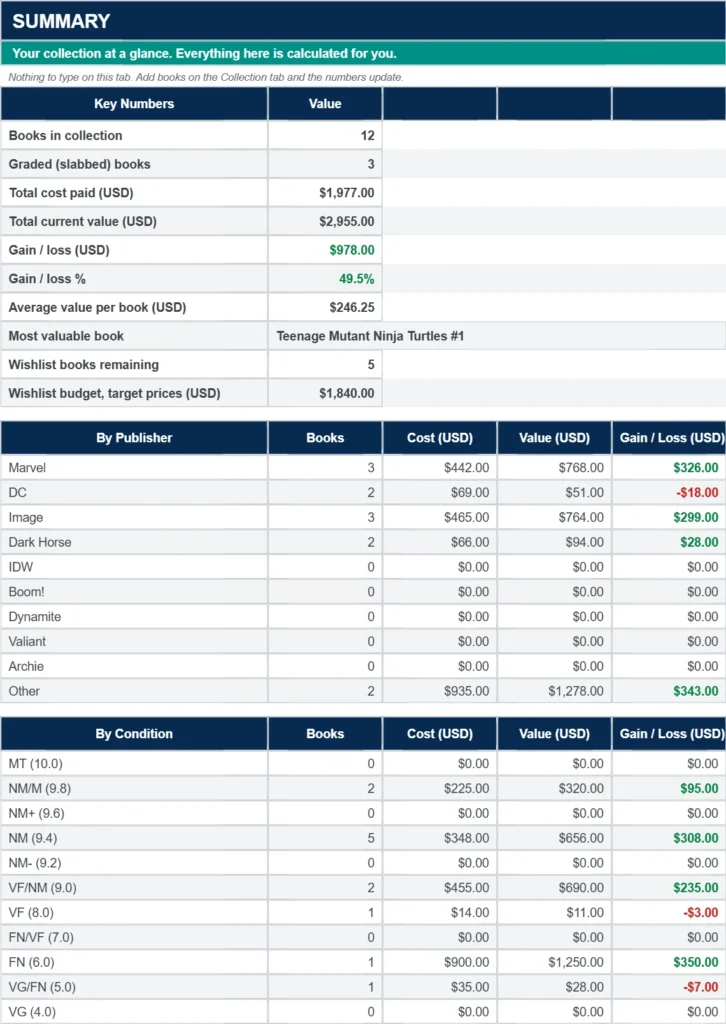
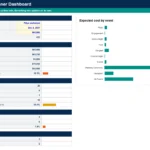
The Summary tab turns your log into numbers you can use. It shows your total books, how many are graded, total cost, total current value, gain or loss in dollars and as a percentage, your average value per book, and your single most valuable book. It also breaks your collection down by publisher and by condition, and shows how many wishlist books you still want and the budget to finish the list.
Wishlist
The Wishlist tab holds the books you are hunting. For each one you can record the title, issue, volume, publisher, priority, target price, estimated market price, and notes. An Over / Under Target column shows at a glance whether a book is priced above or below what you want to pay. Mark a book as Acquired and it drops out of your remaining count and budget.
Start Here and Settings
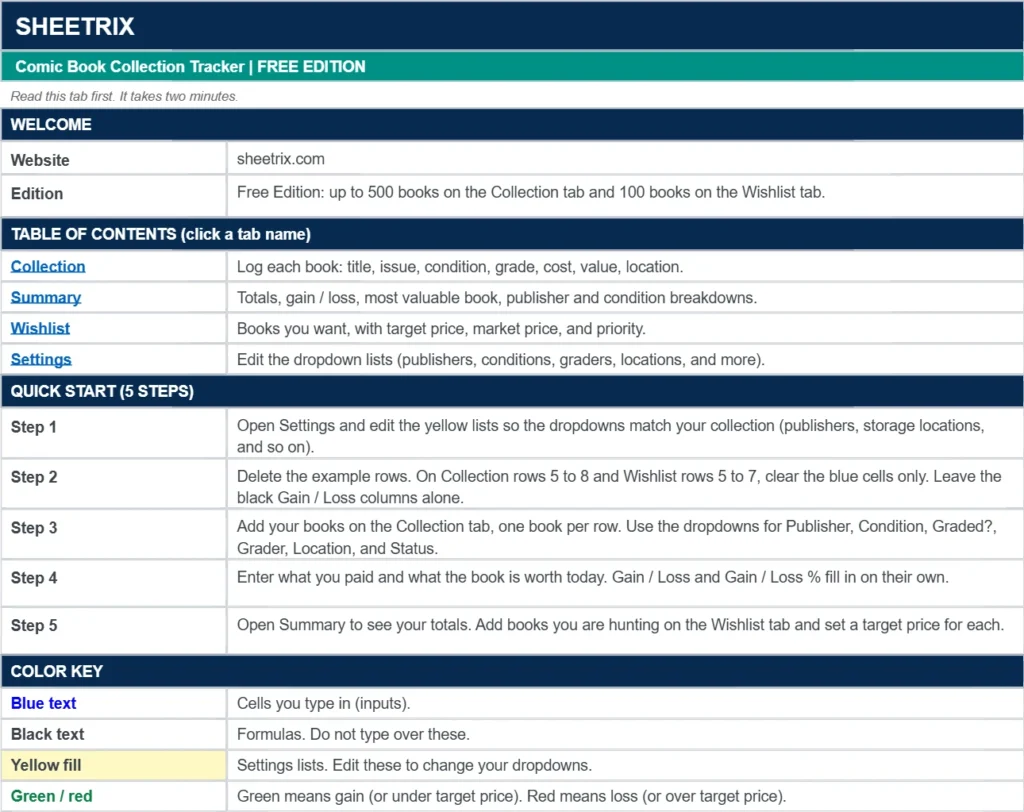
The Start Here tab walks you through setup in five steps and answers common questions. The Settings tab holds the lists behind your dropdowns: publisher, condition, grader, status, storage location, and wishlist priority. Type a new option into the next empty row of any list and it appears in the dropdowns right away.
How to Use the Template
Step 1: Make Your Copy
Download the template using the form below, then open the link and choose Make a copy so the sheet saves to your own Google Drive.
Step 2: Clear the Example Rows
Go to the Collection tab and clear the four example rows. Do not delete the formula columns (Gain / Loss and Gain / Loss %). Those fill in by themselves.
Step 3: Add Your Books
Type each book on its own row. Choose the publisher, condition, grader, location, and status from the dropdowns. Enter the price you paid and the current value.
Step 4: Check Your Totals
Open the Summary tab to see your collection value, your gain or loss, and your breakdown by publisher and condition.
Step 5: Update Values Now and Then
Comic values move, especially for key issues. When you want a fresh total, update the current value for the books that matter most. Recent eBay sold listings and price guides are common places to check what a book is selling for.
Tracking Graded Comics
If you own slabbed books, set Graded? to Yes, pick the grader from the dropdown (CGC, CBCS, PGX, or Other), and enter the numeric grade, such as 9.8. The Summary tab counts how many of your books are graded so you can see how much of your collection is slabbed. Raw books can use the Condition dropdown, which runs from Mint 10.0 down to Fair/Poor 1.0.
This free version works in US dollars, so convert any foreign currency prices before you enter them.
Why Choose This Template
Built for Comic Collectors
The columns match what collectors actually track: issue number, volume, publisher, key issue notes, grade, and storage location. You do not have to adapt a generic inventory sheet.
Automatic Calculations
Gain or loss and the summary tables update the moment you change a price, so you never have to add anything up by hand.
Easy to Customize
Add your own publishers, conditions, or locations on the Settings tab. Add columns for variant cover, signature, or purchase source if you want more detail.
Free and Works in Google Sheets
There is nothing to install. The template runs in Google Sheets, works on desktop and mobile, and your data stays in your own Drive.
Tips for Best Results
- Use one row per book. If you own two copies of the same issue in different conditions, give each its own row.
- Write the issue number as you would say it. The column is formatted as text, so entries like 1/2 stay as typed.
- Use the Key Issue / Notes column for first appearances, variant covers, signatures, or where you bought the book.
- Refresh the values for your most valuable books first, since they move your total the most.
- Make a backup copy of your sheet before making big changes.
Who Should Use This Template?
New Collectors
If you are just starting out, a simple log keeps you from buying duplicates and shows you how your collection grows.
Key Issue and Back Issue Hunters
Track what you own, then use the Wishlist with target prices to keep a list of the books you still need and what you are willing to pay.
Graded Comic Collectors
Keep slabs and raw books in one sheet, with the grader and numeric grade for each.
Sellers and Flippers
Mark books as For Sale, At Grading, or Sold, and compare what you paid against current value before you list.
Frequently Asked Questions
Does the template update comic values automatically?
No. You enter the current value for each book yourself. This keeps the sheet simple and gives you full control over the numbers.
How many comics can I track?
The Collection tab is set up for 500 books and the Wishlist for 100. The premium edition has room for 2,000 or more books.
Can I track graded comics?
Yes. Set Graded? to Yes, then choose the grader and enter the numeric grade.
Is it really free?
Yes. The template is free for personal use. Enter your email in the form below and you will get a link to make your own copy.
Marvel, DC, and other publisher names, characters, and titles are trademarks of their respective owners. This template is an unofficial tool and is not affiliated with, endorsed by, or sponsored by any publisher or grading company.
If your shelves also hold vinyl figures, the Funko Pop collection tracker spreadsheet tracks Chases, exclusives, and boxed Pops with the same gain or loss formulas.
If your shelves also hold building sets, the LEGO collection tracker spreadsheet tracks sealed, built, and retired sets with the same gain or loss formulas.
Download Your Free Comic Book Collection Tracker Spreadsheet
- Free Template
- Fully Editable
- Instant Access
- Track raw and graded comics
Inside the template: Start Here guide, Collection log, Summary, Wishlist, and Settings tabs.
How to Access Your Copy
- Enter your email for instant access
- Open the link we send you
- Start using the spreadsheet right away