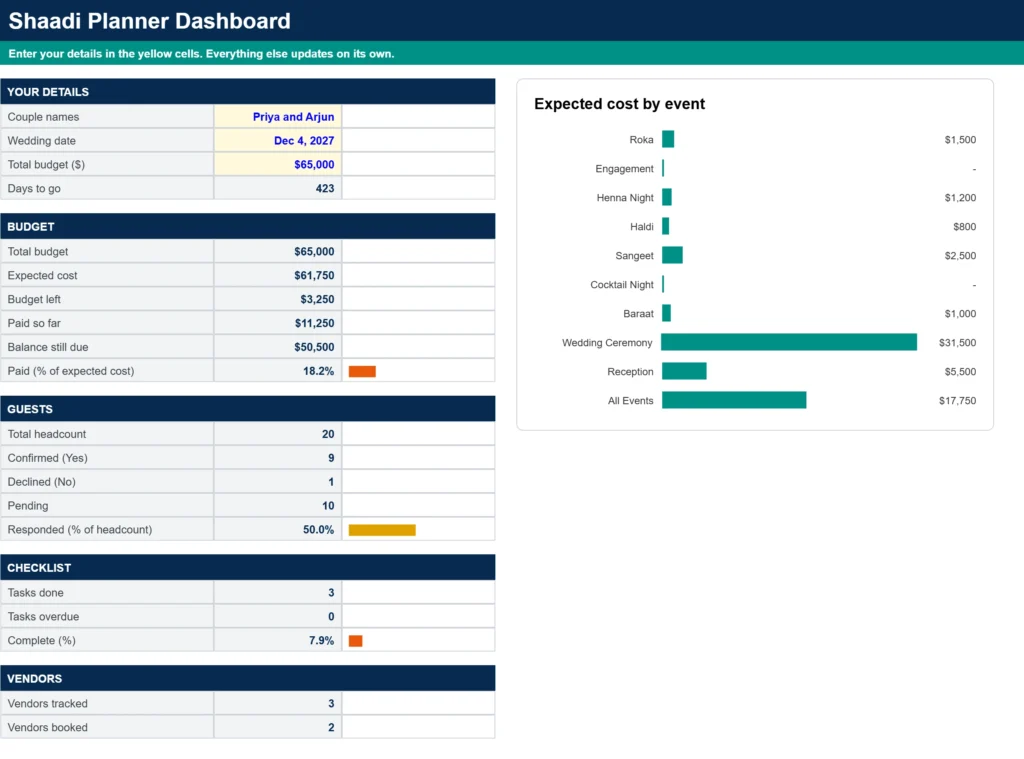
A shaadi is rarely a single event. Between the roka, haldi, henna night, sangeet, baraat, wedding ceremony and reception, the costs, guest lists and to-dos multiply fast, and a basic wedding spreadsheet rarely keeps up. This free Shaadi Planner Spreadsheet Template for Google Sheets is built for multi-day Indian weddings, so you can see what every function costs and keep the whole celebration in one place.
Set your total budget and wedding date, tag each expense with the event it belongs to, track RSVPs by household, and work through a ready-made checklist whose due dates move with your wedding date. If you only need the basics, our wedding budget spreadsheet and wedding guest list template work well too. This planner is for couples who want everything for a multi-event celebration in one connected file.
Get Your Free Shaadi Planner Template (Google Sheets)
- Free Template
- Fully Editable
- Instant Access
- Organize your information
How to Access Your Copy
- Enter your email for instant access
- Open the link we send you
- Start using the spreadsheet right away
Plan every function with clarity, stay on budget, and avoid last-minute surprises.
A Clear Overview of How the Shaadi Planner Works
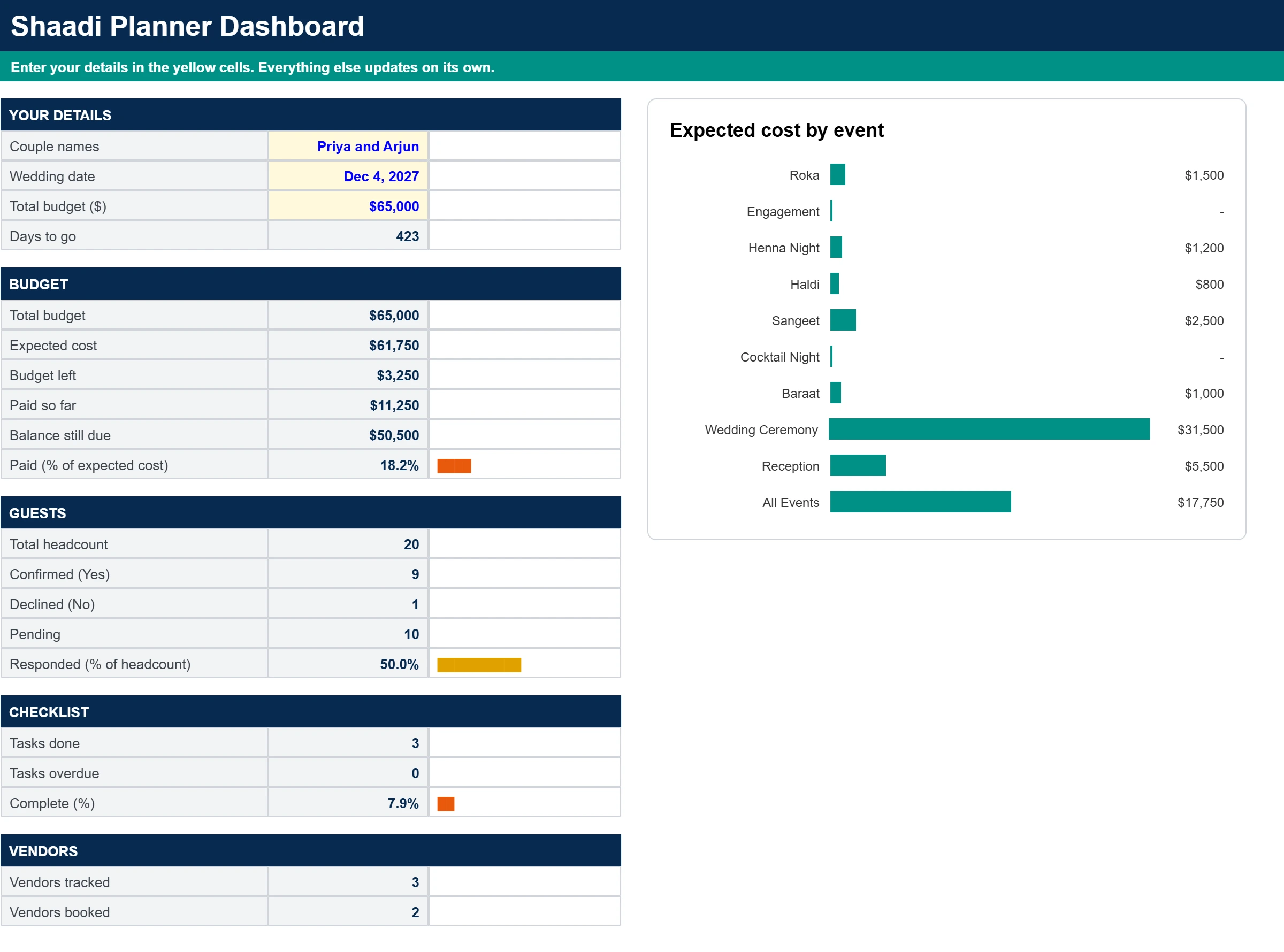
This Google Sheets template includes seven connected tabs: Start Here, Dashboard, Budget, Events, Guest List, Checklist and Vendors. You enter your names, wedding date and total budget once, and the rest of the file updates around them. Yellow cells with blue text are the ones to fill in. Everything else calculates for you.
Sample data is included so you can see how each tab works before you replace it with your own plans.
Dashboard: Your Whole Shaadi at a Glance
Enter your names, wedding date and total budget at the top of the Dashboard. It then shows days to go, expected cost, budget left, what you have paid, the balance still due, RSVP responses, checklist progress and how many vendors are booked. Progress bars change color as you move forward, and a chart shows the expected cost of each event.
Budget Tab: Pick an Event for Every Expense
Each line on the Budget tab has a category, an event dropdown, an estimated cost, an actual cost and the amount paid so far. Choose the event from the dropdown, such as Roka, Haldi, Henna Night, Sangeet, Baraat, Wedding Ceremony or Reception. Use All Events for costs that serve the whole celebration, like attire or photography.
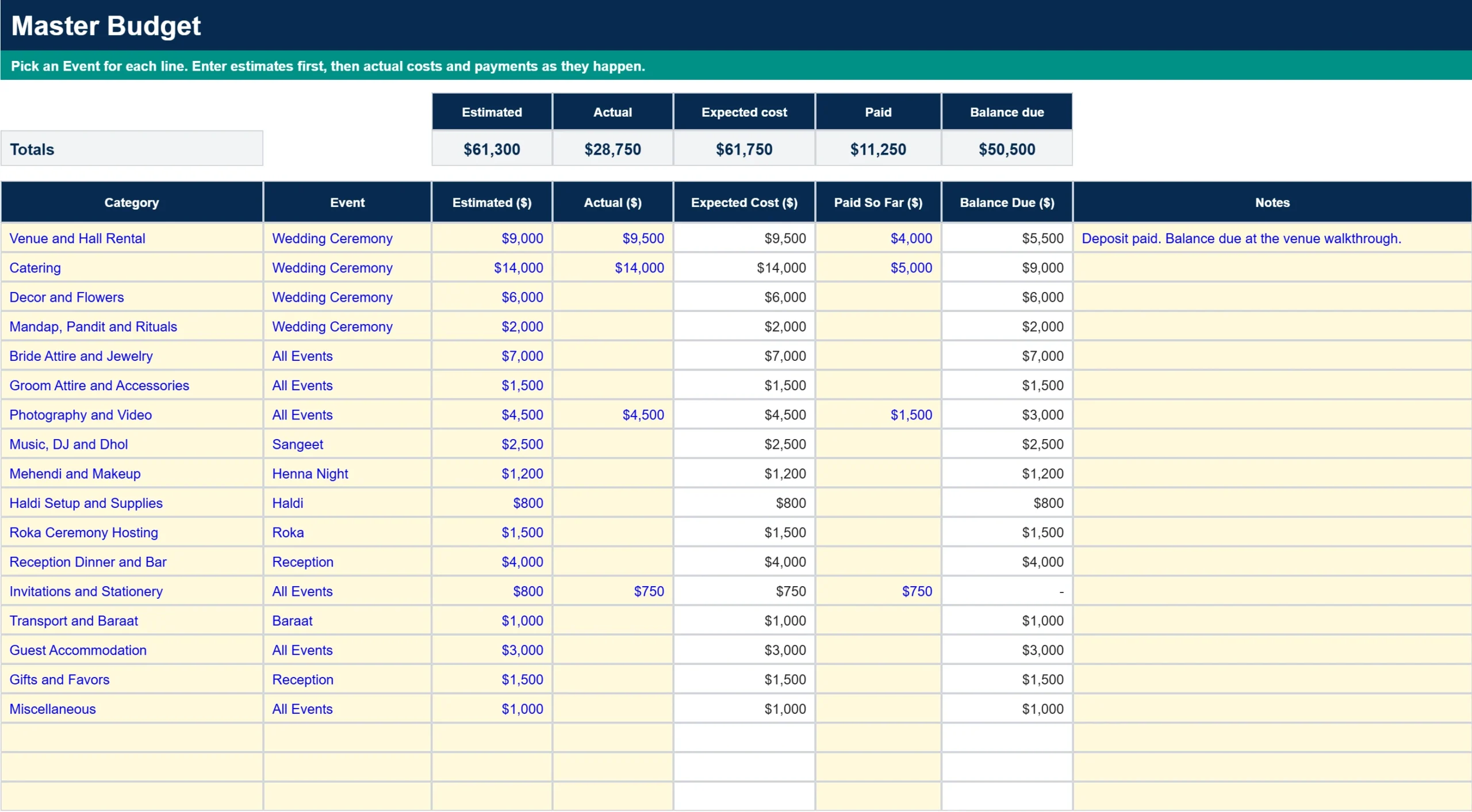
Expected Cost uses your actual figure once you enter it and your estimate until then, so your totals stay realistic from day one. Balance Due is calculated for every line.
Events Tab: Totals for Every Function
The Events tab holds the list behind the dropdown. It starts with ten events and has room for more. Rename any of them to match your family traditions, for example Sagan, Mangni or Nikah, and add your own in the next empty yellow row. Next to each event you see its date, estimated cost, expected cost, amount paid, balance due and number of budget lines.
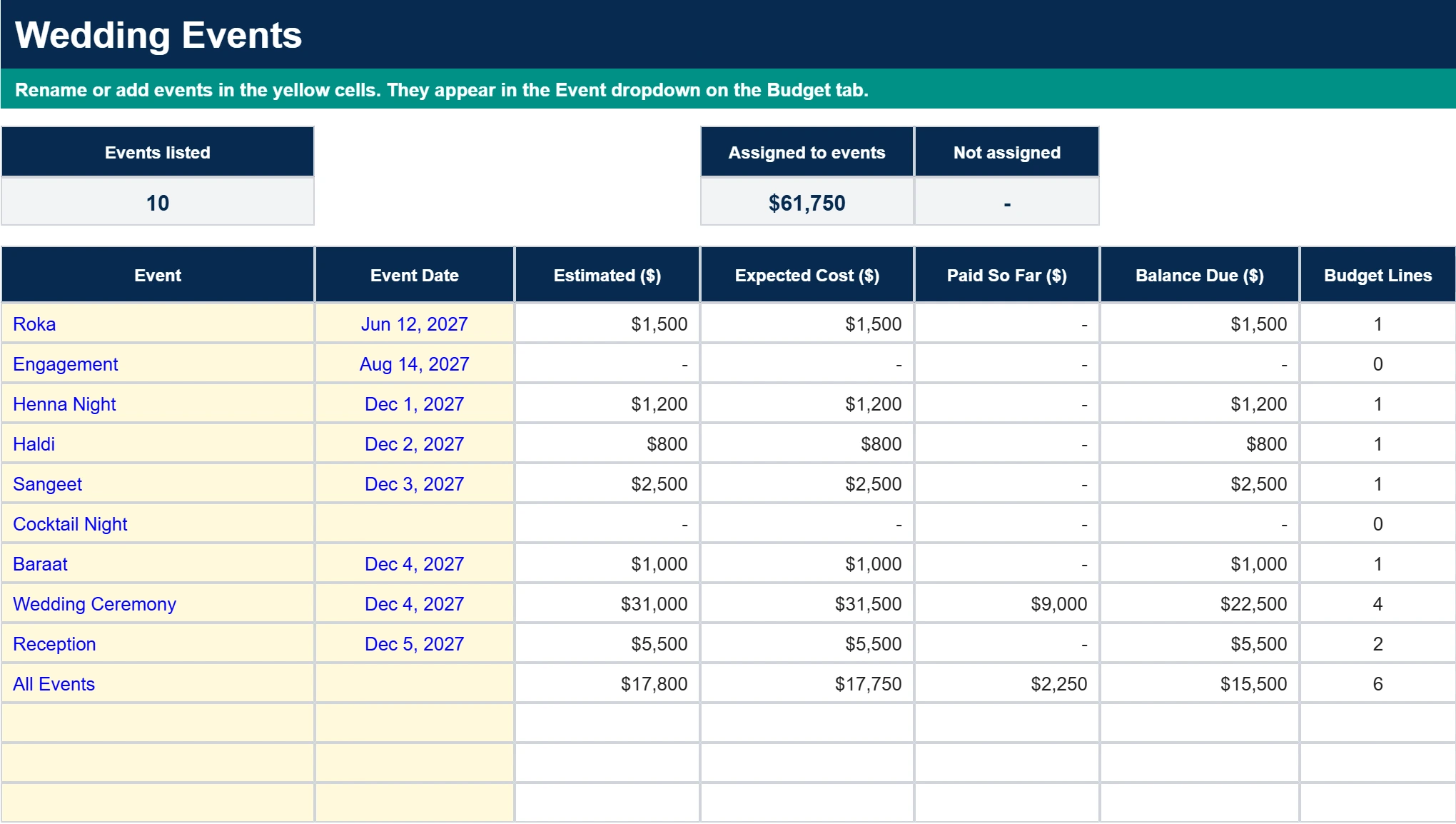
A Not Assigned cell turns red if any budget line is missing an event, so nothing slips through.
Guest List Tab: Track Households and RSVPs
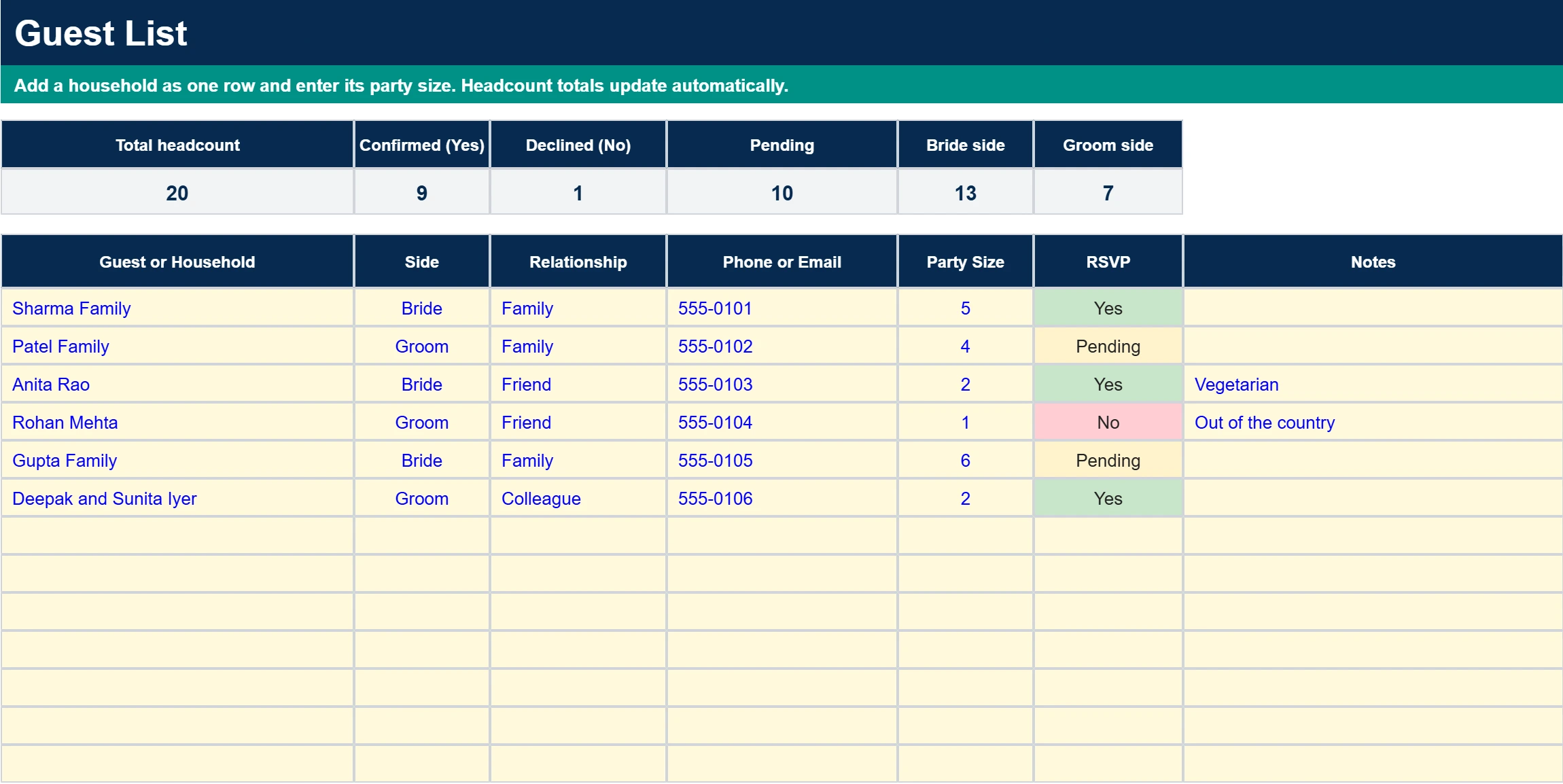
Add each household as one row and enter its party size. Dropdowns for side (Bride or Groom), relationship and RSVP keep the data clean. The headcount at the top shows total, confirmed, declined and pending guests, plus the split between the two sides, and the RSVP cells change color so replies are easy to scan.
Checklist Tab: Due Dates That Move With Your Wedding Date
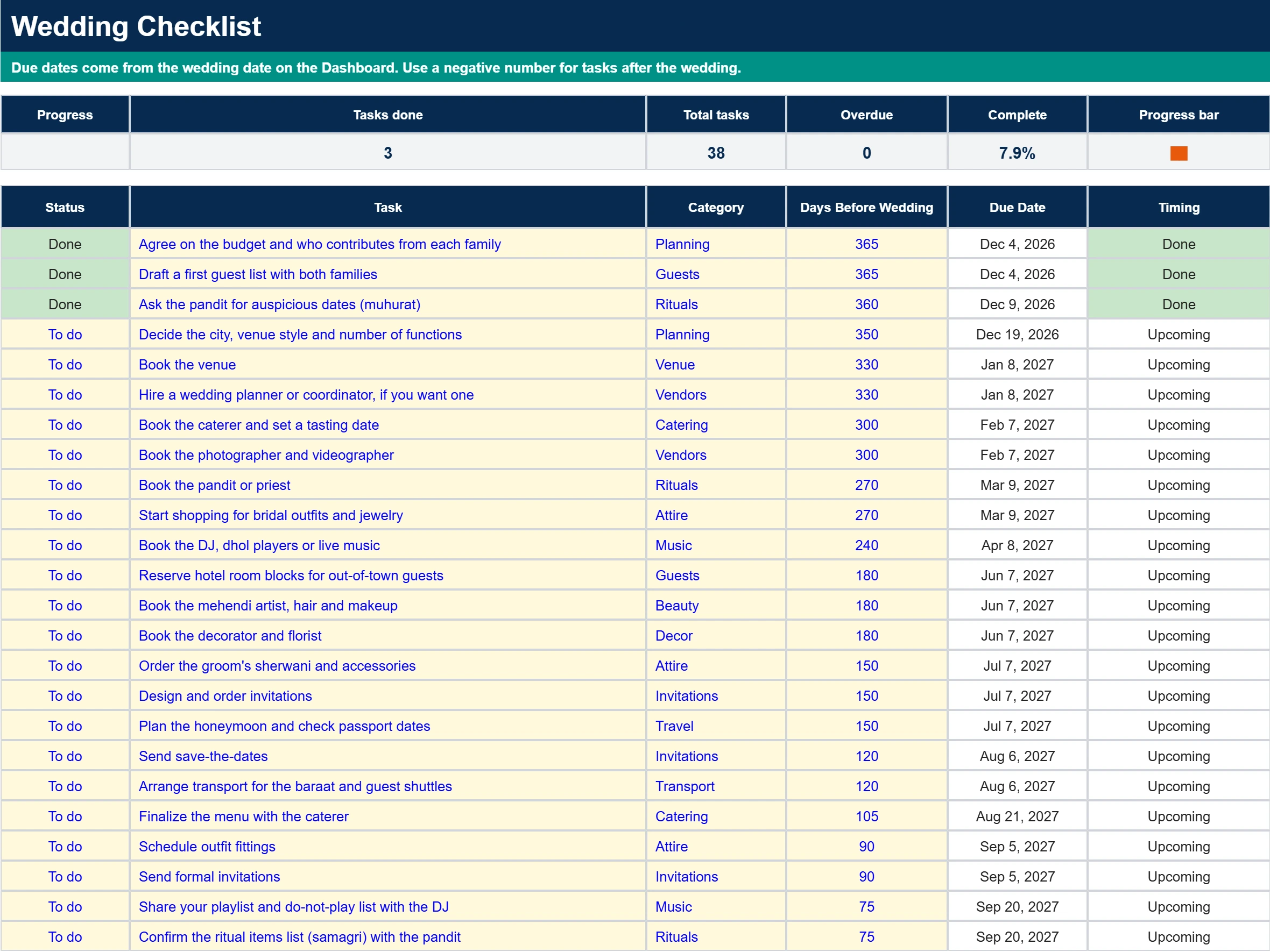
The checklist comes with 38 tasks, from agreeing on a budget with both families and asking the pandit for auspicious dates to sending thank-you notes. Each task has a Days Before Wedding number, and its due date is calculated from the wedding date you entered on the Dashboard. Set each task to To do, In progress or Done, and the Timing column flags what is overdue.
Vendors Tab: Quotes, Deposits and Payment Dates
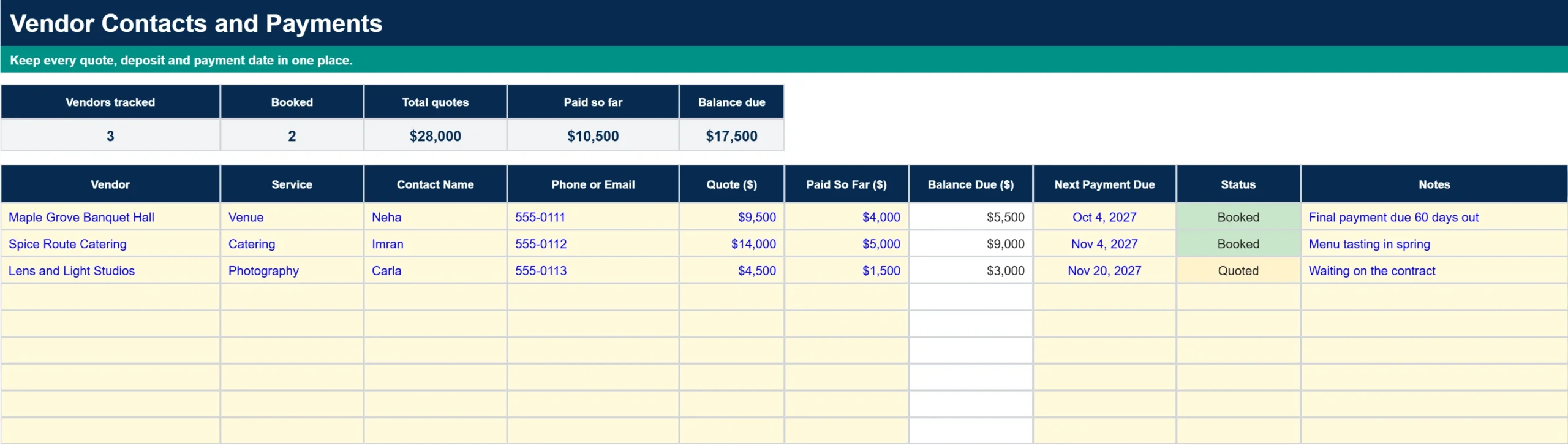
Keep every vendor in one place: service, contact details, quote, amount paid, balance due, next payment date and booking status. The totals at the top show your combined quotes and how much you still owe.
How to Use the Shaadi Planner Step by Step
- Open the Dashboard and enter your names, wedding date and total budget.
- On the Budget tab, replace the sample lines with your own estimates and pick an event for each one.
- Rename or add events on the Events tab to match your celebration.
- Add your guests on the Guest List tab and update each RSVP as replies arrive.
- Work through the Checklist and mark tasks as In progress or Done.
- Log vendor quotes and payments on the Vendors tab, then enter actual costs on the Budget tab as you pay.
Tips for Budgeting a Multi-Event Shaadi
Estimate the biggest lines first
Venue, catering and attire tend to be the largest lines for most couples, so put realistic estimates on those before anything else. Smaller items like favors and stationery are easier to fit in afterward.
Agree on who is paying for what
Many families split costs between the bride and groom sides. Settle the split before you book anything, and use the Notes column on the Budget tab to record who is paying each line.
Keep a buffer for surprises
Add a buffer line of your own or use the Miscellaneous line for last-minute costs. If you are financing part of the celebration, our wedding loan calculator can help you see what the monthly payments would look like.
Who This Template Is For
This planner is a good fit for couples planning a multi-day Indian wedding, parents helping organize one, and wedding planners who want a simple shared file for a client. It works just as well for a smaller celebration with only a few functions.
Frequently Asked Questions
Is the Shaadi Planner really free?
Yes. Enter your email, open the link we send you, and make your own copy in Google Sheets.
Can I add my own events?
Yes. Rename any event or type a new one in the next empty yellow row on the Events tab. It appears in the Event dropdown on the Budget tab right away.
Can I use a currency other than dollars?
Yes. Select the amount cells and change the number format under Format, Number, Currency.
Can I share it with my family?
Yes. After you make your copy, use the Share button in Google Sheets so parents and siblings can view or edit it.
Does it work on my phone?
You can open it in the Google Sheets app. A computer is easier for the first setup, and the phone works well for checking totals and updating RSVPs afterward.