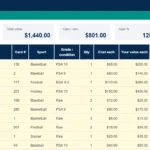
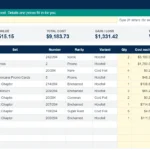
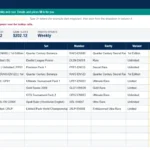
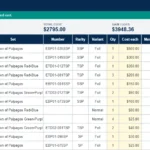
A Leader with several alternate arts, a Manga version worth far more than the regular copy, a Starter Deck you never opened: One Piece Card Game collections get messy fast. This free One Piece Card Game collection tracker spreadsheet keeps it simple. Search a card, pick the exact printing, and the sheet fills in the set, number, rarity, variant, market price and an eBay link for you.
It runs in Google Sheets, so it costs nothing, works on your phone and laptop, and your collection lives in your own copy that nobody else can see.
What You Get
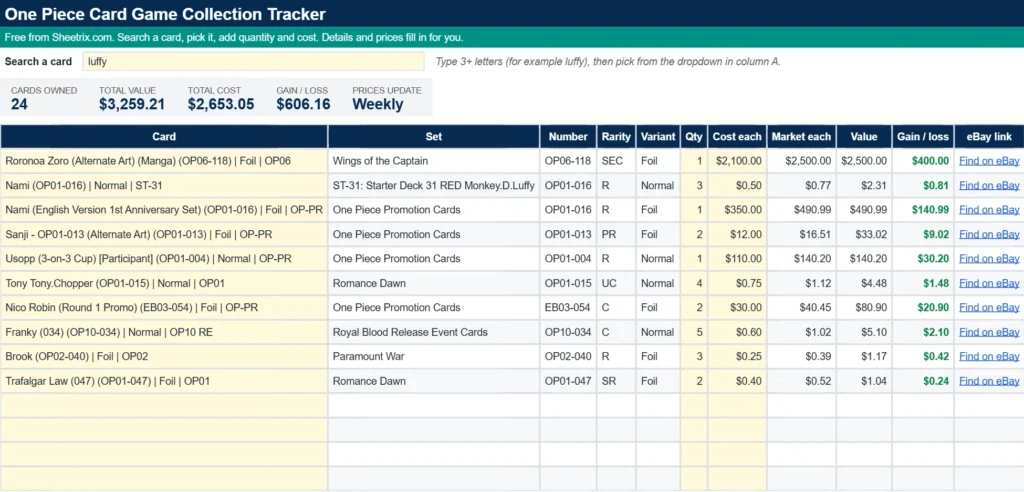
- A Collection tab for 100 cards, with quantity, cost paid, current market value and gain or loss for every row.
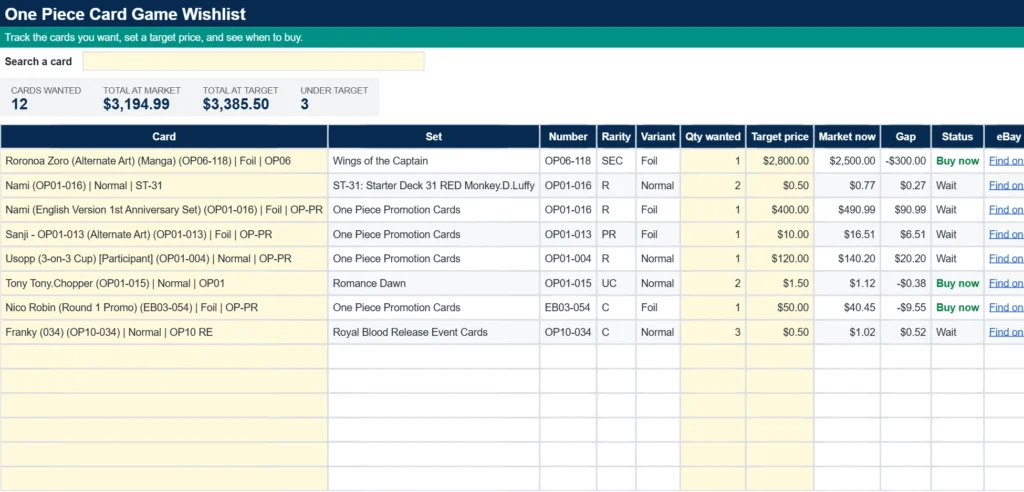
- A Wishlist tab with target prices that flags each card as Buy now or Wait.
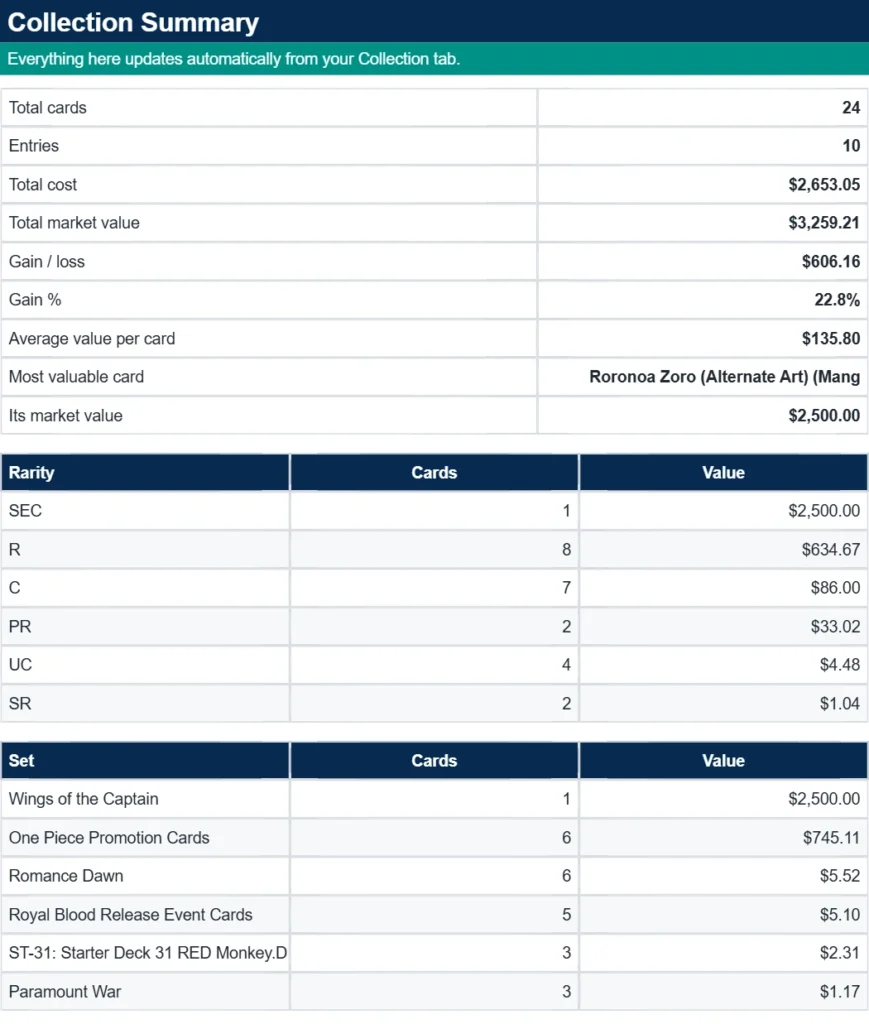
- A Summary tab with totals, your most valuable card, and breakdowns by rarity and by set.
- A short Start Here guide, so you can be up and running in a couple of minutes.
Prices come from TCGplayer market data and refresh every week. The card list holds thousands of One Piece Card Game printings and sealed products, from the Romance Dawn era through the newest booster sets, plus Starter Decks, Extra Boosters, Premium Boosters and promos.
Made for How One Piece Cards Actually Work
One Piece cards rarely come in one version. The same character can be a regular card, a Parallel, an Alternate Art, a Manga version or a promo, and each one trades at a very different price. Most trackers only know the card name, so you end up guessing which price applies. Here you choose the exact printing once, and the sheet keeps that specific price current.
Every printing is listed with its card number and set code, such as OP01 for a booster, ST-01 for a Starter Deck, EB01 for an Extra Booster or PRB-01 for a Premium Booster. That makes it easy to narrow a search to one set when a popular Leader has dozens of versions.
Collection
Type a few letters into the yellow search box at the top, for example luffy, and open the dropdown in the Card column. The list shows the 55 best matches with the highest priced printings first. Not seeing yours? Add the set code or card number to the search, such as luffy OP05, and the list narrows right away.
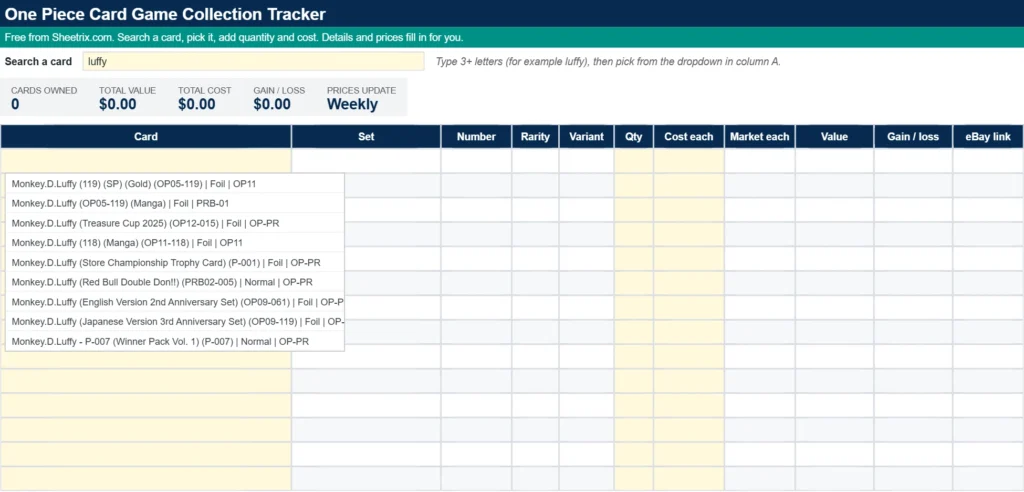
Once you pick a card, the set, number, rarity, variant and market price appear on their own. You only enter how many you own and what you paid. The header shows your total cards, total value, total cost and overall gain or loss.
Wishlist
Use it for the cards you are hunting. Add the quantity you want and a target price, and the Status column says Buy now when the market price is at or under your target and Wait when it is not. The header totals show what your wishlist costs at market and at your target prices, and how many cards are already under target.
Summary
This tab turns your Collection into a quick report: total cards, number of entries, total cost, market value, gain or loss, gain percentage, average value per card and your single most valuable card. Below that you get a rarity breakdown and a breakdown by set, so you can see where your money is really sitting.
How to Use the Template
Step 1: Make Your Copy
Use the download button below, open the link, and choose Make a copy to save the sheet to your own Google Drive. Edit only your copy.
Step 2: Click Allow Access
The first time you search, Google shows an Allow access banner over the lookup cells. Click it once. It is a normal Google prompt for sheets that fetch outside data, and it is what lets the price lookup run.
Step 3: Search and Pick Your Cards
Type at least three letters of a card name into the search box on the Collection tab, then open the dropdown in the Card column and pick the printing you own.
Step 4: Add Quantity and Cost
Enter the quantity and the price you paid in the yellow cells. Value and gain or loss are calculated for you. Add cards one at a time for the smoothest experience.
Step 5: Check Your Totals
Look at the totals at the top of the Collection tab, then open Summary for the full picture. Come back after the weekly refresh to see how your collection has moved.
About the Prices and eBay Links
Market prices are weekly TCGplayer market data, which is a good guide to what a card actually sells for and not just what sellers are asking. Prices update once a week, so treat them as a solid reference and not a live quote.
Each row also has an eBay link that opens a search for that exact card. These are affiliate links, so Sheetrix may earn a small commission if you buy through them, at no extra cost to you. It is what keeps this template free, and you are never required to use them.
Tips for Best Results
- Add the set code (OP01, ST-01, EB01) to your search when a Leader has many versions.
- Always pick the printing that matches your card: Parallel, Alternate Art and Manga versions are priced separately.
- Fill in Cost each as you go. It is what makes the gain or loss numbers meaningful.
- Set a target price on the Wishlist, then check the Status column after each weekly refresh.
- If a brand new card is missing, check back after the next weekly update.
Who Is This For?
Binder collectors who want to know what their cards are worth, players budgeting for a new Leader deck, sellers who want a quick price reference before listing singles, and parents or friends keeping track of a growing collection. No spreadsheet skills are needed.
Frequently Asked Questions
Is the template really free?
Yes. Download it, make a copy, and use it as long as you like. The eBay links are the only way Sheetrix earns anything, and they cost you nothing extra.
Where do the prices come from?
From TCGplayer market data, refreshed once a week automatically. You do not need to update anything yourself.
How many cards can I track?
Each of the Collection and Wishlist tabs holds 100 rows. If you have more, make a second copy of the sheet for your next 100 cards.
What is the Allow access button?
It is Google asking for your one time permission to let the sheet fetch card data from the internet. Click it once and the lookup columns start filling in.
A card is missing from the dropdown. What now?
Add more detail to the search, like the set code or card number, because the dropdown shows the top 55 matches. If the card is very new, it may appear after the next weekly refresh.
What are the eBay links?
Each one opens an eBay search for that exact card. They are affiliate links, so Sheetrix may earn a small commission on purchases, at no extra cost to you.
Is this affiliated with Bandai, Shueisha or the One Piece Card Game?
No. Sheetrix is an independent site. One Piece and the One Piece Card Game are trademarks of their respective owners, including Eiichiro Oda, Shueisha, Toei Animation and Bandai. Card names and set information are used only to identify products.
Collect sports cards too? Try our free sports card inventory spreadsheet.
Download Your Free One Piece Card Game Collection Tracker Spreadsheet
- Free Template
- Fully Editable
- Instant Access
- Looks up prices and eBay links
Inside the template: Start Here guide, Collection with price lookup, Wishlist and Summary tabs.
How to Access Your Copy
- Enter your email for instant access
- Open the link we send you
- Start using the spreadsheet right away